





Many existing Magefan users and other Magento retailers are now seeking reliable Magefan POS alternatives, as the system was officially discontinued with its final version 3.0.2.1 and its last update released on June 16, 2026.
Even with continued support for existing users until their 365-day support package expires, the discontinuation remains a considerable concern for users: No extended support package, no further POS enhancements, and potential Magento incompatibility shortly. That’s why it’s time to explore an alternative solution for your system.
Based on in-depth research of Magefan Magento 2 Point of Sale – covering features, functionality, pricing, support packages, and other key criteria – our POS experts have curated a list of 3 Magefan alternatives and shared valuable insights into each. Dive in and find the best fit for your business.
Key takeaways
- Magefan POS has been officially discontinued, with version 3.0.2.1 being the final release. The last update was released on June 16, 2026.
- Finding an alternative to Magefan POS is recommended, as there is no extended support package or ongoing POS development. This may also lead to compatibility issues with future Magento versions. Among Magento-native POS solutions, Magestore POS, Acid POS, and Webkul POS are potential alternatives, each with its own strengths and limitations.
- A standalone POS integrated with Magento via a connector is another viable alternative to consider.
Official discontinuation of Magento 2 POS extension by Magefan
Magefan has officially discontinued their Magento 2 point of sale with the final version 3.0.2.1. We’ve noticed that there have been no updates since June 16, 2026.
This discontinuation applies to all Magefan POS editions (CE, EE, ECE, B2B).
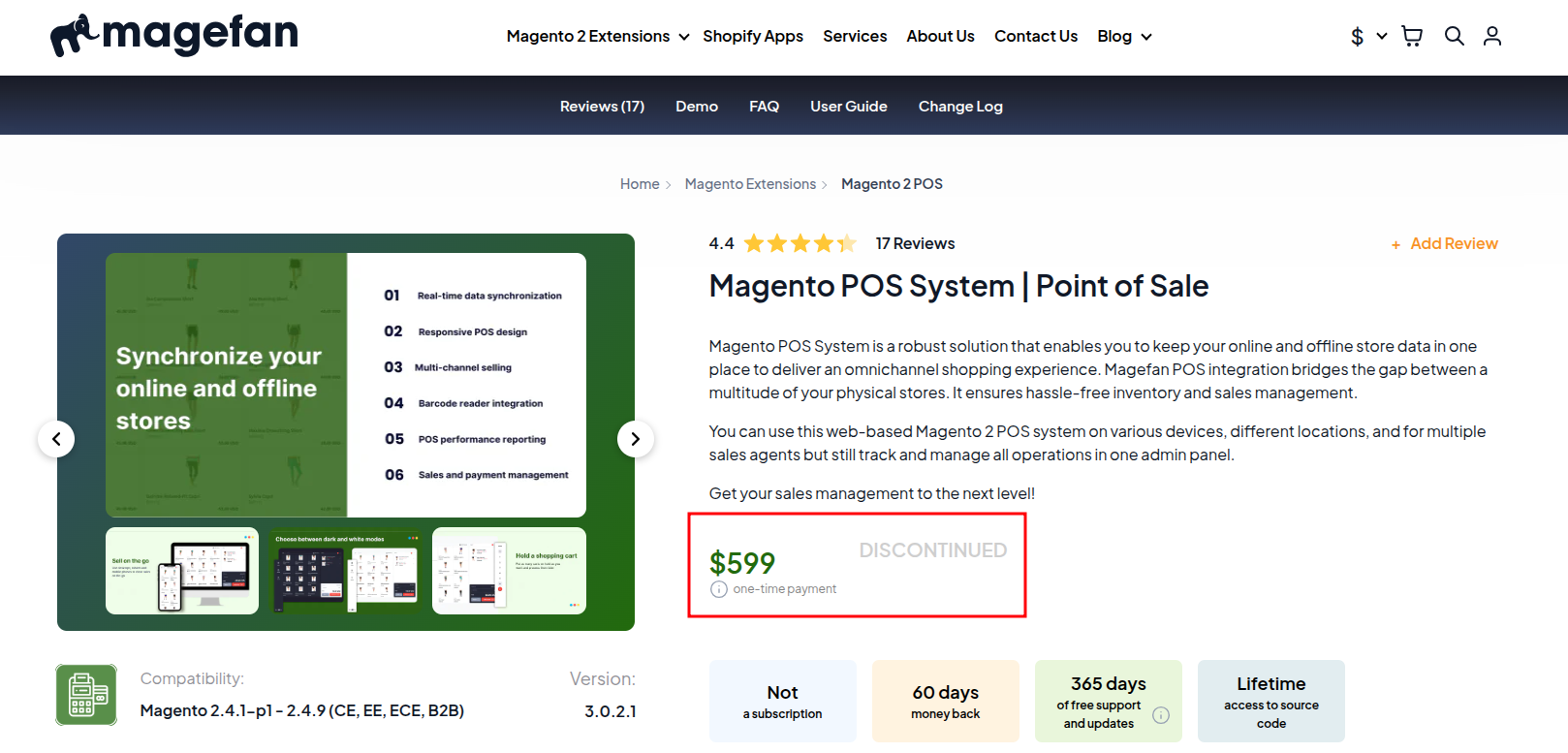
This termination poses challenges for both new users seeking Magefan POS and current users.
New users seeking Magefan POS | Current users of Magefan POS |
|
Magefan still provides support for customers whose support period hasn’t expired. However, when the 365-day support after purchase ends, Magefan will no longer offer support for their POS extension.
Future updates to Magento may render the final version of Magefan POS incompatible, as it only supports Magento versions 2.4.1-p1 to 2.4.9.
Magefan POS termination means there will be no added features, improvements, or customizations for this extension, leading to many limitations for growing businesses. |
Before the limitations occur due to the POS termination, you should find a Magefan POS alternative to ensure continued functionality and support.
>>> Learn more details: Magefan POS discontinued: User impact and recommendations
A quick look at Magefan POS: Key features, pros, and cons
Magefan POS key features
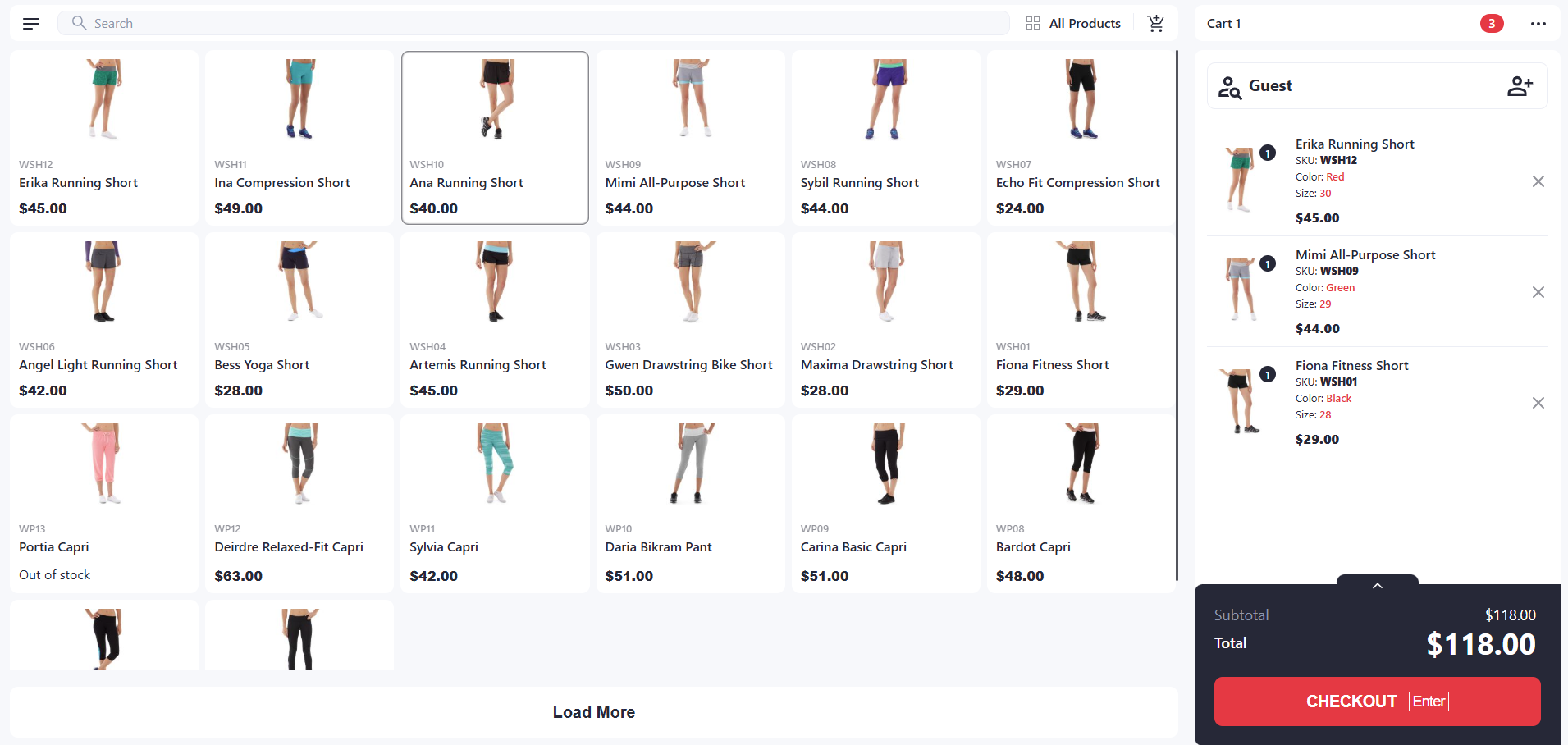
Magefan POS is a web-based point of sale extension for Magento 2. It is best suited for small to mid-sized Magento retailers that need a straightforward in-store checkout solution. Magefan offers a core set of essential checkout features and keeps both online and in-store sales data centralized in Magento, giving merchants a unified view of their operations:
- Quickly complete checkout in the store with some payment methods like cash, debit and credit cards, or Stripe payments
- Sync all order data across stores in one place for easy management
- Update stock levels and view inventory quantity in multiple stores
- Operate POS on desktops, tablets, or mobile devices with browser capabilities
- Offer a self-checkout POS terminal, enabling customers to check out on their own
- Allow to search products by built-in attributes (SKUs, name) and custom attributes (Description, email, or phone number), hold shopping cart, edit product prices in cart, create custom products
- Customize POS receipts with a logo or text for better brand awareness
- Create multiple store locations, POS accounts, and cashiers
- Provide X and Z reports to track the store revenue
- Localize your POS with multiple languages (English, Ukrainian, German, Dutch, and Hebrew)
Magefan POS pros and cons
Pros | Cons |
Ease of use with no learning curve | Lack of offline mode functionality |
All essential features included for a smooth checkout | Limited payment method support compared to some other POS systems in the market |
Affordable pricing plans | Lack of customer-facing display |
Responsive customer support from the Magefan team | Limited customization: Magefan Magento 2 POS is an extension, meaning all the added features depend on the providers. Users can not modify the source code. |
Lack of some back office functionalities like stock transfers, purchase order creation and management, order fulfillment, etc. | |
Limited types of reports, for example, sales reports or stock reports: Magefan POS only provides X and Z reports. | |
Lack of integration with many popular third-party business apps and software for extended functionality. For example, Magefan POS only integrates with Stripe to process payments. |
Especially with the termination of Magefan POS, users will face further limitations, such as the end of support, a lack of POS enhancements, or potential technical issues. Therefore, backing up your data and finding an alternative POS system is strongly recommended.
Top 3 Magefan POS alternatives at a glance (Magento-native solutions)
Evaluation criteria used to shortlist the 3 best Magefan POS alternatives
Based on Magefan POS’s limitations for larger operations, we’ve narrowed down the top alternative POS options based on the following key criteria:
- Prioritize Magento-native POS solutions that integrate directly with the Magento backend without connectors or middleware, ensuring consistent data and avoiding sync issues.
- Evaluate advanced capabilities where Magefan POS falls short, such as more flexible checkout workflows, stronger inventory and fulfillment features, and improved reporting.
- Consider pricing flexibility, focusing on alternatives that offer more adaptable plans compared to Magefan POS’s fixed pricing model.
- Review customer support quality and user feedback, using real customer reviews to assess reliability, support responsiveness, and overall satisfaction.
General comparison of the top 3 Magefan POS alternatives
Take a quick look at our handpicked selection of the top 3 Magefan POS alternative solutions, covering key features, enhancements compared to Magefan POS, pricing plans, and reviews from real customers.
POS system | Key features | Enhancements compared to Magefan POS | Pricing & Free trial | Customer reviews |
Magestore POS |
|
| 4.8/5.0 on Trustpilot for Magento 2 POS
| |
Acid POS |
|
|
| 5.0/5.0 on Capterra for Magento 2 POS (1 review)
|
Webkul POS |
|
|
*This pricing does not include installation and support fees.
*This pricing does not include installation and source code fees. | 4.6/5.0 on Trustpilot across all products
|
Go into details about the 3 best Magefan POS alternatives to consider (Magento-native solutions)
1. Magestore POS: Magento-native web-based POS with comprehensive features for omnichannel management
Magestore POS is a Magento-native point of sale that offers direct integration with Magento, eliminating the need for a connector or middleware. This POS system is worth considering due to its comprehensive features for efficiently handling key store operations. In addition to all the features offered by Magefan POS, the Magestore retail POS provides several advanced capabilities that Magefan lacks, such as a customer-facing display, offline mode, omnichannel loyalty programs, fulfillment, and many other powerful back-office functionalities.
Unlike Magefan POS, which operates as a Magento UI extension, Magestore POS is a PWA that communicates with Magento through APIs. This architecture provides greater independence, enabling better performance, improved resilience through offline mode, and more flexibility to design a POS-optimized experience without being constrained by Magento’s legacy admin architecture.
With PWA technology, Magestore POS completes checkout in under 15 seconds. While Magefan POS supports only basic payment methods like cash and debit/credit cards, Magestore POS offers greater flexibility with additional options, such as mobile payments, contactless payments, split payments, or buy now pay later.
As a native Magento POS solution, the Magestore retail POS system can directly sync all the data, for example, product, sales order, or customer data, to the Magento backend. You can manage all your data in one centralized place with ease and accuracy.
Magestore POS offers flexible pricing plans to accommodate different merchants’ needs and budgets. You can start with the POS Simple package, which covers essential functions for daily operations, and upgrade to POS Commerce as your business grows and you need more advanced back-office capabilities.

More than 15,000 businesses trust Magestore POS, rated 4.8/5.0 by users on Capterra, TrustPilot, and GetApp.
Why should you consider Magestore POS instead of Magefan POS
Key similarities between Magestore POS and Magefan POS
- Magestore POS covers all Magefan POS features:
- Check out with some standard payment methods
- Enable self-checkout
- Search products using different attributes
- Sync order data across channels
- Sell out-of-stock items with backorders
- And more
- Both Magestore POS and Magefan POS are native to Magento.
- Both solutions are web-based POS systems that work smoothly on desktops or tablets capable of running a browser.
- Similar to Magefan, Magestore earns high marks for responsive support, allowing customers to quickly contact the development team.
Magestore POS: Enhanced functionalities and features compared to Magefan POS
- PWA-based architecture instead of a Magento UI extension
- Offline mode
- Customer-facing display
- Checkout process with more POS payment methods: cash, credit and debit cards, mobile payments, contactless payments, split payments, buy now pay later, etc.
- Refund process right on the optimized POS frontend
- Omnichannel retail support:
- Multi-channel selling by integrating POS with Magento and other marketplaces
- Multi-location management
- Built-in omnichannel loyalty programs: Store credits, reward points, or gift cards
- Omnichannel fulfillment options: Buy online pick up in store, buy online and pay at stores, or buy in store and then ship to home
- Advanced multichannel inventory management: Stock transfers, stocktaking, and inventory adjustment
- Purchasing management: Demand forecasting; suppliers, pricelists, and POs data centralization; purchase requisition optimization, etc.
- More types of reports: Sales reports, product performance, inventory reports, employee performance, end-of-day reports, etc.
- Default integration with more payment processors: Stripe, Square, Mollie, Dojo, Authorize.net, Windcave, Tyro, etc. Additionally, Magestore POS is open to integrating with many other local payments as it is a payment-agnostic system.
In short, while Magestore POS offers a smooth checkout experience similar to Magefan POS, it also includes a wide range of advanced features designed to streamline your entire omnichannel retail operations.
Magestore POS pricing
Magestore POS pricing plans are suitable for Magento retailers of different sizes, covering both subscription and one-time payment plans:
- POS Lite (A basic POS package for fast and reliable in-store checkout): Try the Magestore Magento POS extension (POS Lite plan), $69/month with a 7-day free trial
- POS Simple (A lightweight POS package for daily operations without the complexity and cost of a full POS system. Available with both subscription and one-time payment):
- Subscription: Try Magestore POS Simple subscription, $89/month, with a 20-day free trial
- One-time payment: Custom quote, including a 1-year warranty and 90-day money-back guarantee. Lifetime POS access, full source code ownership, unlimited users, devices, locations.
- POS Commerce (A complete POS package with advanced modules for end-to-end omnichannel management): Custom quote, including a 1-year warranty and 90-day money-back guarantee. Lifetime POS access, full source code ownership, unlimited users, devices, locations.
>>> Explore more details: Magestore POS vs. Magefan POS
Real customers’ reviews: Pros and cons of Magestore POS
Source: Magestore reviews on Trustpilot
Pros | Cons |
Feature-rich Magento POS system for end-to-end business operations | The initial setup for Magestore Magento POS Commerce requires technical understanding of Magento because the POS functions as one of its core modules. The configuration ensures data flows correctly between systems and remains stable over time. This one-time technical effort helps retailers maintain precise sync across all sales channels. |
Easy to use with an intuitive interface | |
Transparent pricing with no hidden fees, plus flexible subscription and one-time payment options | |
Added accounts, users, and devices without extra costs | |
PWA-based architecture (quick checkout, offline mode, modern UI, high scalability, etc.) | |
Compatible with multiple devices (PC, MAC, tablet, iPad) and hardware (Cash drawer, barcode scanner, receipt printer, label printer, etc.) | |
Open to integrate with a wide range of local payments, as Magestore POS is a payment-agnostic system |
Summary: Magento users looking for an omnichannel retail POS with full features for end-to-end operations at a flexible, affordable price should consider Magestore POS.
2. Acid POS: Feature-rich cloud POS system
Acid POS is a cloud-based POS system for Magento retailers. Similar to Magestore POS, many Magefan POS users consider Acid POS because of its comprehensive features and functionalities to streamline the store operations: smooth checkout with multiple payment methods, loyalty programs, inventory management, employee management, and more.
Acid POS operates under a subscription-based pricing model. While this approach may offer lower initial entry costs compared to one-time payment solutions, additional charges can apply for extra store locations, eCommerce sites, integration work, and support packages. All of these factors should be carefully considered when evaluating the total cost of ownership.
In terms of deployment, Acid POS delivers its full feature set only when used with Acid’s proprietary hardware. When operated on PCs or laptops from other vendors, at least 20% of Acid POS features will not be available for use. As a result, Acid POS is generally better suited for retailers that prefer a tightly integrated software-and-hardware solution from a single provider.
(Here’s a quick overview of how Lightspeed Retail POS connects with Magento via a connector. For deeper technical details, check the official dev docs from Lightspeed, Magento, or related connector vendors.)
View details
Subscription-based POS systems like Acid POS lower the barrier to entry with smaller upfront costs (compared to other one-time payment solutions) and typically include ongoing updates and support. However, recurring monthly fees – often tied to usage, number of locations, monthly sales volume, or integration work – can significantly increase the total cost of ownership over time.
In contrast, one-time payment POS solutions like Magestore POS require a higher initial investment but offer greater long-term cost efficiency and ownership. You only pay once for the POS license to own the full system and data, with no recurring fees for additional devices, users, Magento sites, implementation services, or support. This model is often better suited for businesses planning stable operations or long-term growth.
>>> Might you like: Magestore POS vs. Acid POS
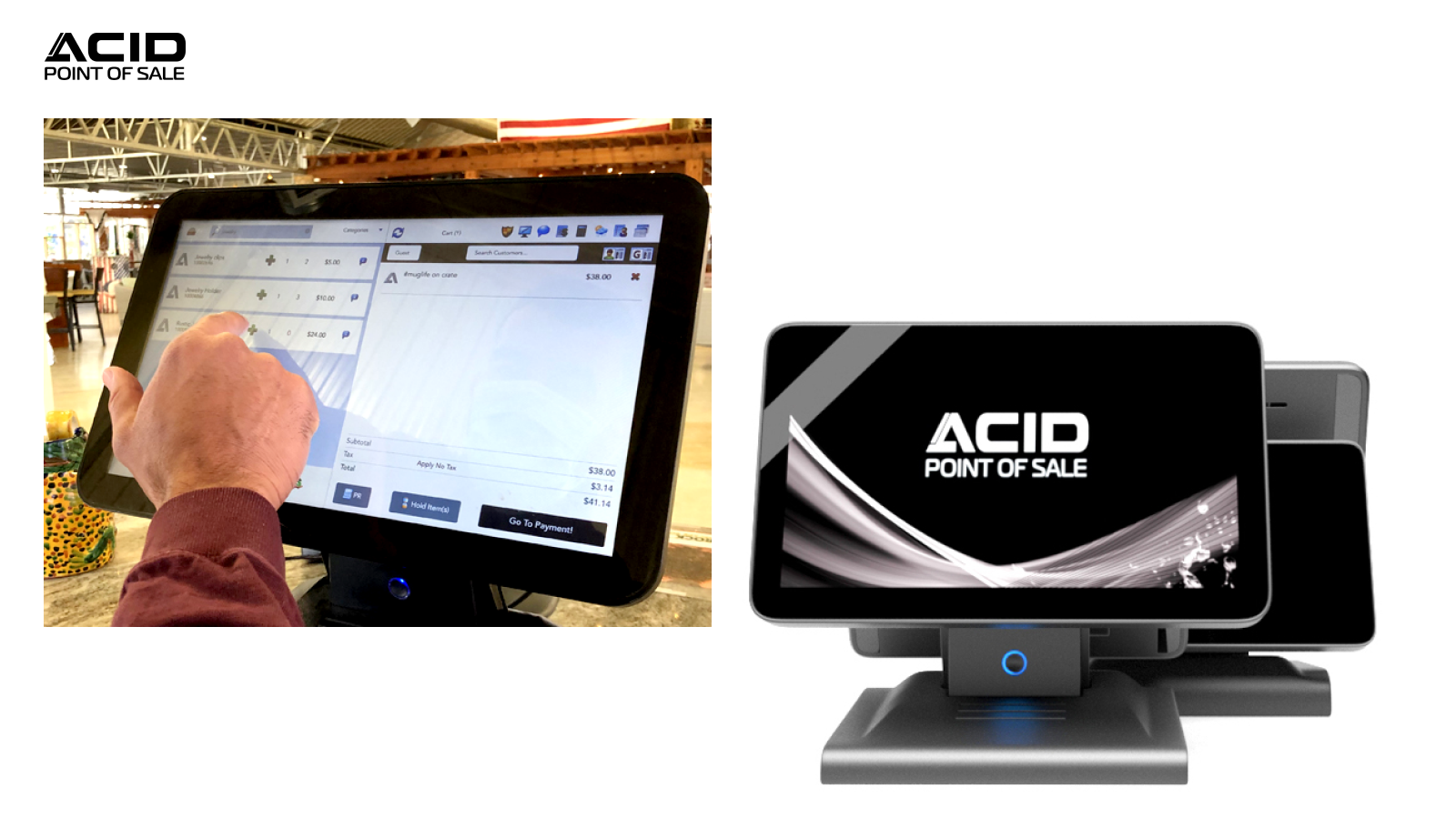
Acid POS: A cloud-based POS system for Magento with a 5.0/5.0 star rating on Capterra (1 review)
Why should consider Acid POS instead of Magefan POS
Key similarities between Acid POS and Magefan POS
- Basic features to ensure a smooth checkout process: Standard payment methods (Cash, credit cards, and debit cards), holding orders, etc.
- X and Z reports
Acid POS: Enhanced functionalities and features compared to Magefan POS
- More payment methods: Mobile payments, contactless payments, split payments, layaway, buy now and pay later
- Customer loyalty programs: Store credits, reward points, gift cards
- Advanced inventory management: Stock transfer, stocktaking, inventory adjustment, and inventory forecasting
- Purchase order management
- Employee management
- More report types in addition to X and Z reports: Sales reports, current stock value
Acid POS pricing
Acid POS has 3 main pricing plans:
- Retail POS (Single/Multi Retail): Starts at $465/month
- Retail POS Enterprise (Custom Retail): Call for price
- Florist POS (Any Size Florists): Starts at $595/month
Real customers’ reviews: Pros and cons of Acid POS
Pros | Cons |
Feature-rich cloud-based POS system | The full features of Acid POS software are restricted to its hardware. As a result, if you switch from Magefan POS to Acid POS, you’ll need to replace your existing devices with the new ones provided by Acid POS to enjoy its full functionalities. |
Provide many types of proprietary hardware | At least 20% of Acid POS features will not be available for use if running the POS on PCs from other brands. |
Extra fees for added locations, sites, and transactions | |
Have to pay a separate licensing scheme if using the POS on PCs | |
No offline mode | |
Expensive customization | |
Acid POS does not provide a dedicated in-store exchange workflow, requiring staff to cancel and recreate orders to process exchanges manually. | |
Gift card functionality may show inconsistencies in balance updates, syncing, and visibility during checkout, particularly when multiple gift cards are used. | |
Acid POS does not support creating “ship to customer” requests directly from the POS, forcing reliance on manual processes. | |
Some customers report that Acid POS triggers Magento cache flushes during order processing or sync events, leading to site slowdowns and occasional outages. |
Summary: Magento users who prefer using both software and hardware from a single provider should consider the feature-rich, cloud-based Acid POS.
3. Webkul POS: Simple POS for checkout at an affordable price
If you are considering Magefan POS primarily for its basic checkout capabilities but want to explore alternatives within a similar price range, consider Webkul Magento POS. It offers both a PWA POS and a POS app (Android and iOS), with pricing ranging from $199 to $897 for the PWA POS and from $499 to $2,545 for the app-based version.
However, similar to Magefan POS, Webkul POS lacks some advanced functions like loyalty programs, store fulfillment, purchase management, etc. You have to purchase Webkul’s extensions for these functions.
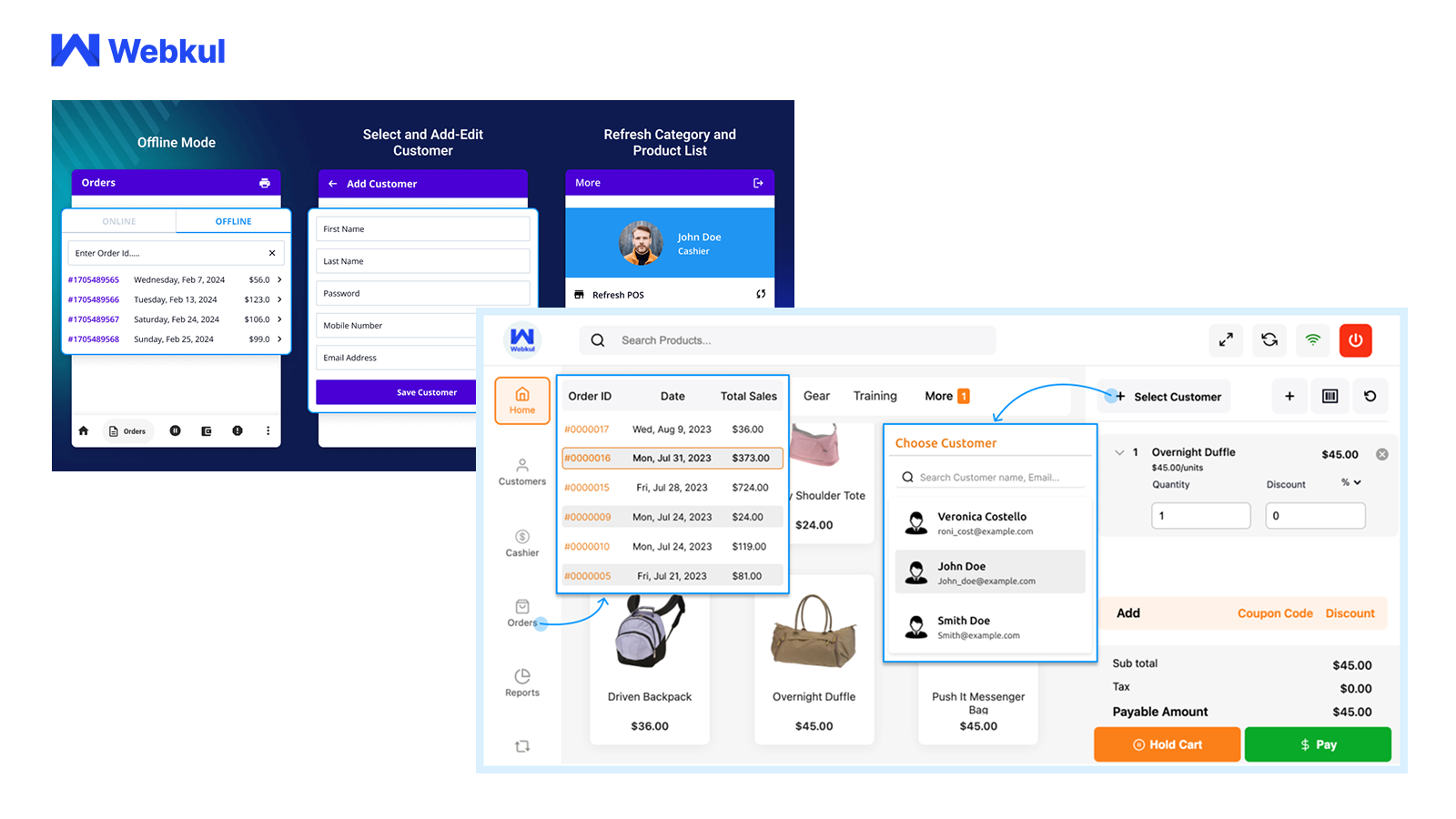
Webkul POS: A simple web POS for checkout with a 4.7/5.0 star rating on Trustpilot (*across all products)
Why should consider Webkul POS instead of Magefan POS
Key similarities between Webkul POS and Magefan POS
- Basic features to process checkout
Webkul POS: Enhanced functionalities and features compared to Magefan POS
- Offline mode
- Split payments
Other key features of WebKul POS
- View and manage orders (order ID, customer name, address, date and time for a placed order, payment mode, etc.)
- Manage multi-channel inventory
- Sync sales data in real time
- Assign products to POS outlet
- Calculate tax in online mode (only)
- Generate a credit memo for the order
- Manage salesperson
Webkul POS pricing
1. POS software for Magento 2 (one-time payment)
- License fee:
- Magento Open Source: $199
- Adobe Commerce (on-premise): $398
- Adobe Commerce (cloud): $398
- Installation fee (optional): $150
- Supporting package:
- 3 months: No extra cost
- 6 months: $79.6
- 1 year: $99.5
2. POS app for Magento 2 (one-time payment):
- License fee:
- Magento Open Source: $499
- Adobe Commerce (on-premise): $998
- Adobe Commerce (cloud): $998
- POS app with source code (optional): $499
- Supporting package:
- 3 months: No extra cost
- 6 months: $199.6
- 1 year: $249.5
- Publish through self Google Play store account (Optional): $50
Real customers’ reviews: Pros and cons of WebKul POS
Pros | Cons |
Budget-friendly pricing | Unstable system performance |
Simple to use | Limited capacity to deal with high order quantities |
Limited payment methods | |
Charge additional fees for installation and payment integrations | |
If you want to have other advanced functionalities like loyalty, fulfillment, barcode management, multi-vendor, etc., you’ll need to purchase them separately. These extra costs can lead to an increase in your business expenses. |
Summary: Magento users looking for a simple checkout POS solution with affordable pricing should consider Webkul Magento 2 POS extension.
Other recommendations for Magefan POS alternatives: Standalone POS integrated with Magento via a connector
If your business primarily relies on Magento, a native POS Magento solution is generally the best choice, as it offers the highest level of compatibility and integration with the platform.
On the other hand, if Magento is not the core of your operations, you may also consider another option: using a standalone POS integrated with Magento via a connector or middleware.
If you choose this route, keep the following in mind:
- Compatibility: Ensure the POS, Magento, and the connector work together reliably to prevent technical issues.
- Additional Costs: Be aware of potential expenses associated with the connector, such as setup fees, ongoing subscriptions or licensing charges, and maintenance or support costs, which may affect your overall budget.
For a detailed comparison and recommendations on standalone POS systems, see our expert guide: “Best POS for Magento”
>>> To understand the differences between native and non-native solutions in depth, read: “What is Magento POS? Differentiating native and non-native solutions”
Wrapping up
The above-listed Magefan POS competitors come with key features, comparisons of similarities and enhancements over Magefan POS, as well as highlighted pros and cons. Below is the summary of each solution for your convenience:
Magestore POS: Suitable for all-sized Magento businesses (especially medium to large retailers). This complete, customizable, and scalable POS solution offers both standard features for seamless checkout and advanced functions for efficient omnichannel management.
Acid POS: Suitable for Magento retailers who prefer using both software and hardware from a single provider.
Webkul POS: Suitable for small Magento retailers seeking a straightforward checkout POS solution with budget-friendly pricing.
Finding which one is the best fit for your business depends on various factors, like your business size, budget, unique needs, expansion plans, and many other considerations. Ultimately, the decision is yours—hopefully, the valuable insights above help guide you toward the right choice.
FAQs about Magefan POS alternatives
Question 1: What is a Magento POS?
Magento POS is a point of sale software that integrates with Magento. It handles in-store checkout and syncs all data (sales orders, products, and customer information) with Magento, ensuring consistent data across both online and offline stores. There are two main types of Magento POS:
- Magento-native POS: Built on Magento logics, direct integration with Magento, no middleware needed.
- Standalone POS: Work with Magento via a connector, no direct integration with Magento.
Question 2: What key factors should you consider when selecting a Magefan POS alternative?
When choosing a Magefan POS alternative solution, here are some key factors to consider:
- Is the POS native to Magento or not?
- Which core features does it offer that are comparable to Magefan POS?
- What enhancements does it provide beyond Magefan POS?
- What pricing plans are available for this alternative solution?
- How does the support team assist customers?
- What feedback have customers shared about this alternative POS?
Question 3: What is the name of the best POS program?
There’s no one-size-fits-all POS solution. The best POS program depends on your business size, budget, and unique requirements. For the best POS for Magento, some native solutions working perfectly with Magento are Magestore POS, Webkul POS, Acid POS, etc. Carefully consider your specific business situation and choose the best fit for your system.
Question 4: What is the best free POS system?
For the Magento point of sale system, most solutions don’t include the free plan. However, some Magento 2 POS systems provide free test accounts or free demos. Take Magestore POS as an example. It offers customers a free consultation with a POS expert, along with a custom demo experience that allows customers to explore the POS features and functionalities before making a purchase.







This was a really helpful comparison of Magefan POS alternatives, especially for Magento store owners trying to find a solution that fits their workflow and budget. I liked that the article didn’t just list alternatives but also explained the strengths and limitations of each option. The points about inventory syncing, ease of use, and multi-store support were especially valuable because those features can make a huge difference in daily operations. A lot of comparison posts feel overly promotional, but this one actually felt balanced and practical. Great resource for businesses looking to choose the right POS system without wasting time testing every platform themselves!