

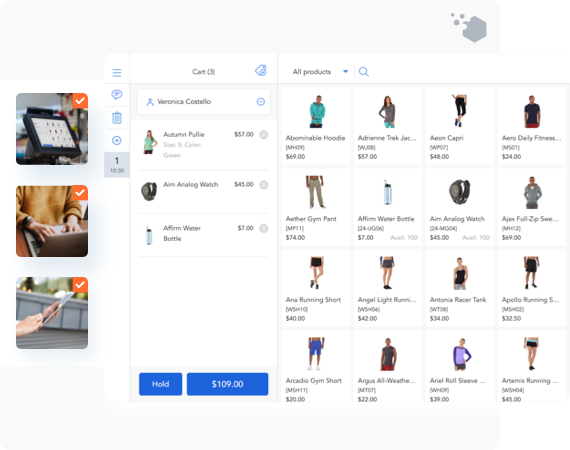
Use Magestore’s iPad-based Magento POS system to sell your products in-store and on the go (events, pop-ups). Same feature-rich POS, on different iPad and tablet devices.
The first Magento iPad POS App using PWA technology
PWA (Progressive Web App) is famous for its smooth user experience, effective user engagement, and stable performance despite network status.
Being the 1st provider to adopt this technology, Magestore constantly improves our POS system to bring the best iPad POS app today for all Magento retailers.
If you’re running a Magento business and want to deliver an omnichannel experience to your customers, Magestore iPad POS software can be the perfect solution.

Enjoy the lightning-fast performance
Magestore’s Magento iPad point of sale will change the way you check out during rush hours. You’ll no longer see a long waiting line at the checkout area, but still keep the same or even better sales record.
The whole checkout process takes only seconds to complete with no hassle. Your staff can save time on menial tasks and focus on delighting your customers.
Access the app with only one click
Our Magento POS iPad software requires minimum effort to use and access. Once you’ve installed our iPad retail POS, all you need is a URL. Add its shortcut to your device screen and you can get instant access after a click.
As PWA technology combines the best of the web and the app, you feel no difference in using the POS on iPad just like a native app. It also works perfectly on PCs and laptops, giving merchants a smooth business experience switching between different devices within a single POS software.
Continue selling even when offline
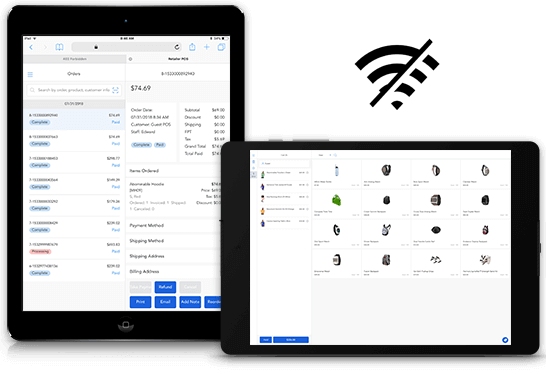
PWA is well-known for its reliability, regardless of the network state.
No need to stress about spotty Internet connection when selling at trade shows or events. Thanks to the offline mode function of Magestore Magento 2 POS iPad, you can check out normally even without the Internet.
When you’re back online, orders will be automatically synced to the system.
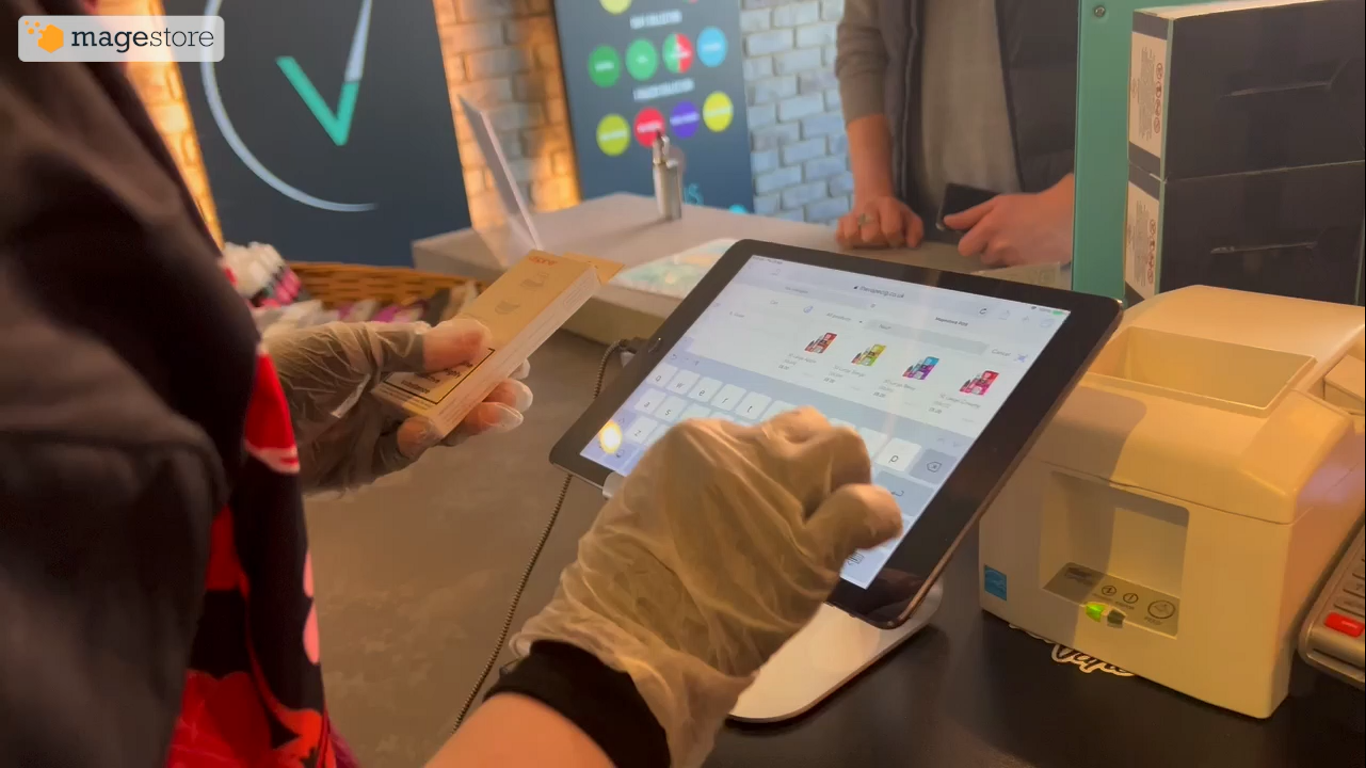
Anthony Mixides, owner of The London Vape Company, has implemented the Magestore Magento iPad POS across his vape stores and shared his positive experience working with the Magestore team:
”When we signed up, we had a great consultation with Duke, who conducted thorough due diligence and took the time to fully understand our unique requirements. He created a great model for us that mapped out the connections between the two stores and eCommerce website. So if something was bought online, the system would look at the total quantity of stock from the two locations, not just one stock source, which is how we worked originally. Magestore’s pre-planning documentation really gave us confidence and the calls illustrated thorough understanding of the setup.
Anthony Mixides, Owner of The London Vape CompanyThe London Vape Company | East Barnet, London
An intuitive point of sale system right on your hand-held iPad.
Same features. Different devices.
No need to stay behind the counter to sell. Delight customers on the sales floor, at events, or in your pop-ups.






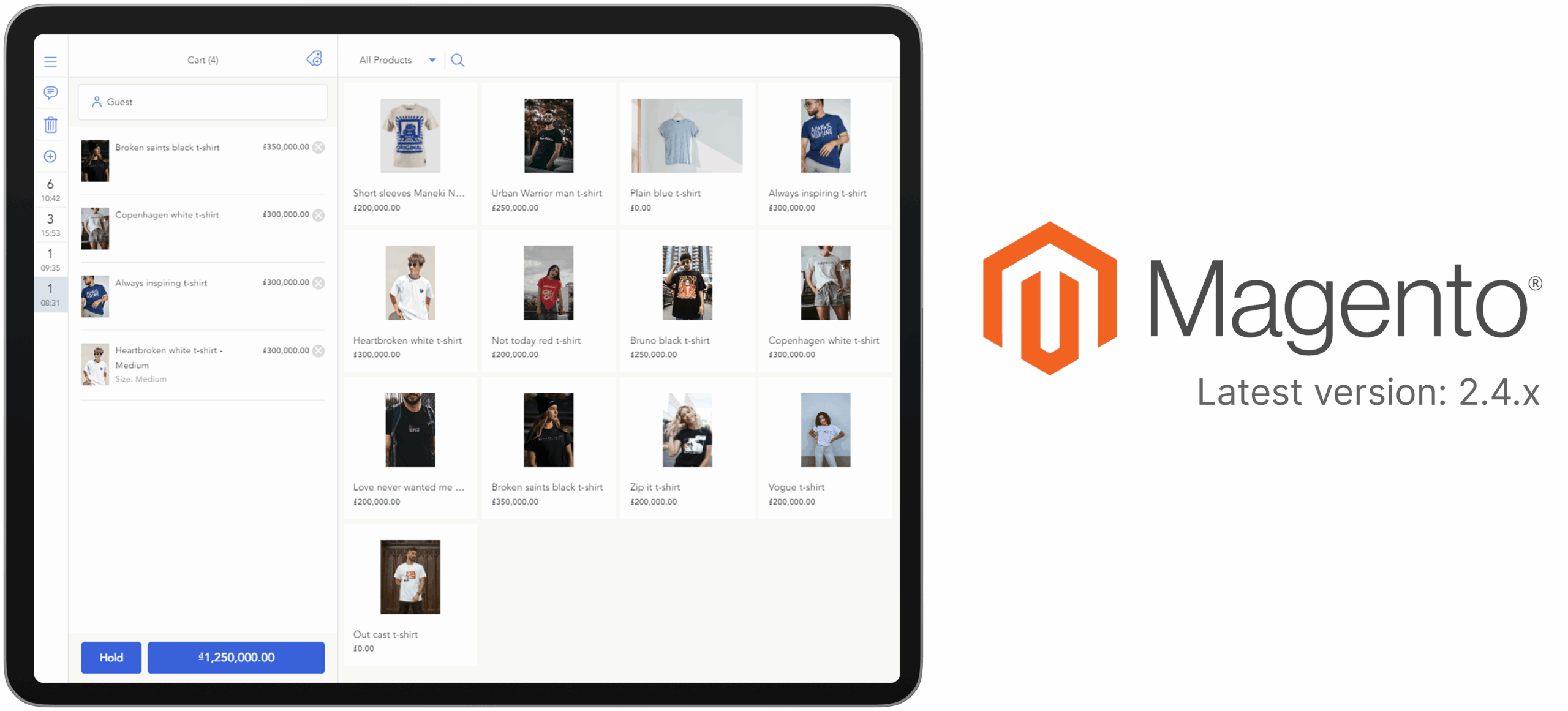
Magestore iPad POS integrates directly with Magento, no connector needed
Magestore iPad POS system is compatible with Magento’s latest 2.4.x
Integrate iPad point of sale directly with Magento, no connector needed
Magestore’s iPad POS accurately syncs products, orders, and customer information to the Magento backend in real time, enabling you to manage all data from one place.
This PWA iPad POS system is compatible with Magento’s latest 2.4.x versions, keeping your store aligned with Magento’s newest technologies.
By connecting Magento websites and retail stores, Magestore Magento 2 POS iPad enables true omnichannel retail: multi-channel selling, multiple location management, online-offline loyalty, and flexible fulfillment.
View all locations’ stocks on Magento 2 POS iPad screen
Out-of-stocks at one store while overstocks at other locations can cost you sales and disappoint your customers.
With Magento iPad POS from Magestore, you can see available stocks from other locations right on your POS screen. Your staff can create orders in one store and have the products shipped from other locations to the customer’s house later.
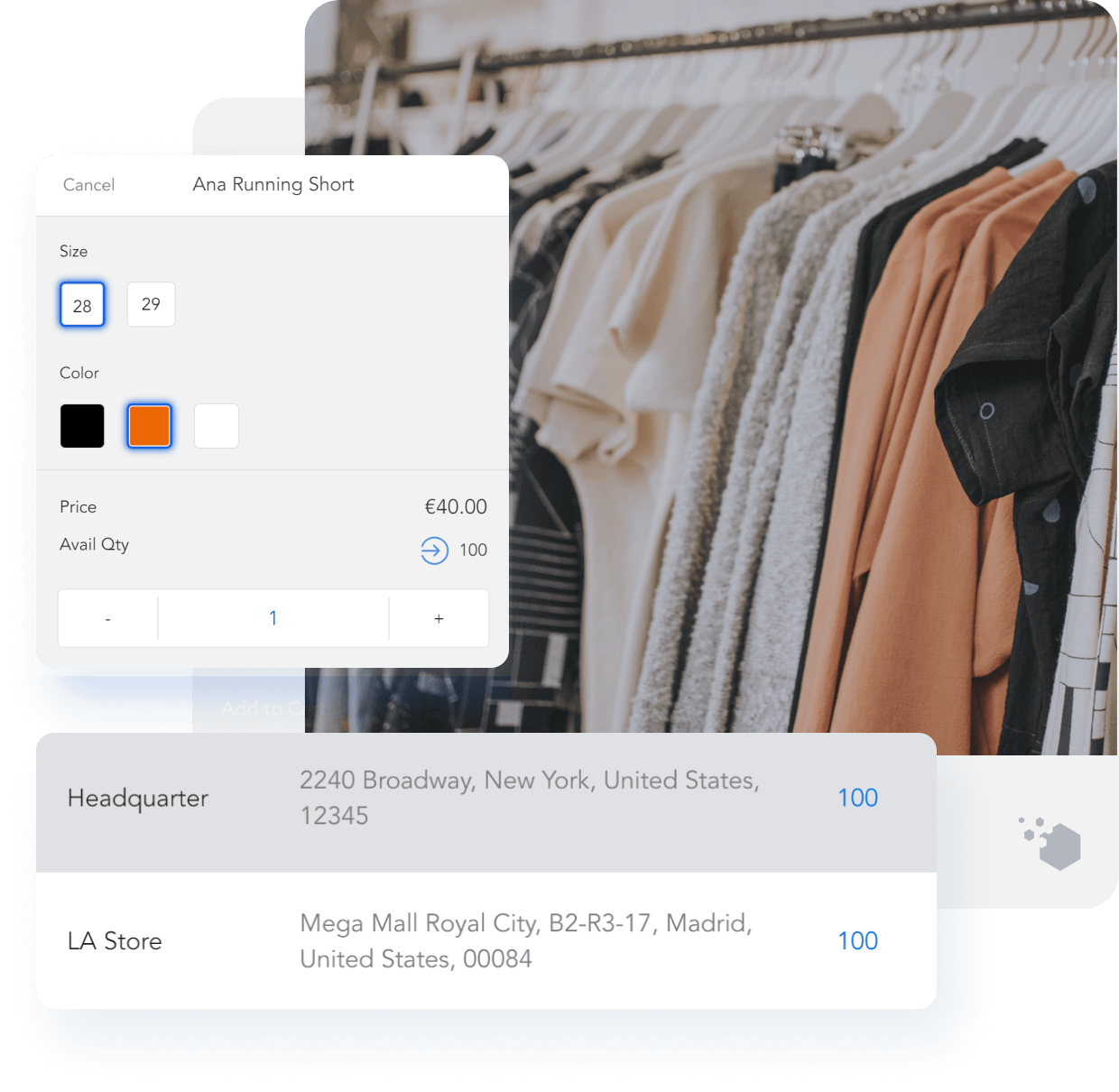
Check available quantity right on iPad POS
See the location with available quantity
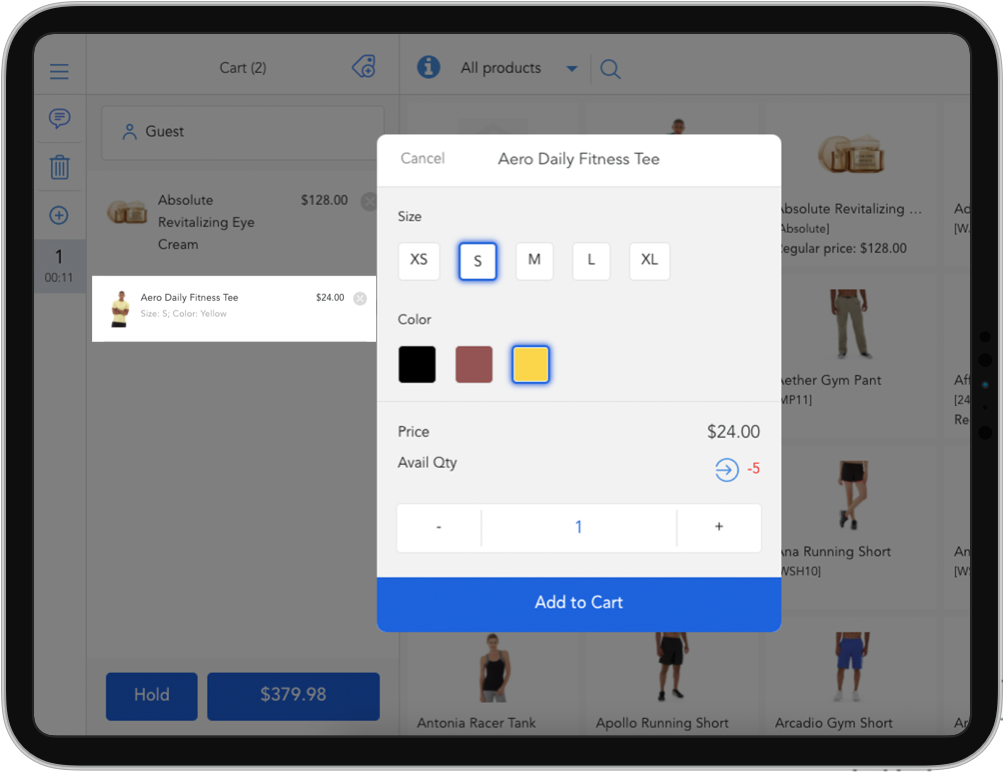
Show out of stock products
Add out of stock products as an back order
Available in POS Commerce
Continue selling with out-of-stock products (Backorders)
Sometimes running out of stock is unavoidable, especially if you’re managing inventory by yourself.
But instead of losing sales and upsetting your customers, turn on the Backorders function on our POS. Your customers can continue placing orders while you refill inventory & deliver to their homes later.
Available in POS Simple & POS Commerce
Attract more online-offline sales with omnichannel loyalty programs
Attractive incentives are important to retain customers; especially for price-sensitive shoppers. But running separate promotions on the website and in-store, however, is no longer enough. Modern shoppers like to receive rewards for their loyalty wherever convenient for them.
With the best iPad POS for Magento stores, you have various options to satisfy your customers:
- Set custom discount & custom item price (price override) on Magento POS iPad
- Apply eCommerce promotion on both website and POS, including catalog rules, shopping cart rules, and tier price
- Give shoppers loyalty points for a specific action with reward points
- Let customers buy, use, and send gift cards to boost sales, especially during holiday seasons
- Offer store credit as an alternative payment method during checkout and refund for your customers
Payment types vary by POS package
Get your (customer’s) favorite mix of payments
Clear the way for customers to pay you by accepting every way they want to pay with our iPad POS for Magento. More reasons for them to come back to your store soon.
- Pay by cash, cheque, and debit or credit cards offline
- Pay with coupon codes
- Pay with credit cards (Stripe, Tyro, or integrate your own terminal)
- Pay with split & partial payment
- Pay with a mix of multiple online and offline payment methods
- Pay with Store Credits, Reward Points, or Gift Cards
Supported hardware varies by POS package
Boost performance by using external hardware & devices on your iPad POS for Magento
Order processing becomes fast and easy with hardware integrations. Find out more about the hardware supported for the Magento iPad POS app.
- iPad or tablet devices that can open a web browser
- Barcode scanner (via Bluetooth) or scan barcode via iPad Camera
- Receipt printer
- Cash drawer
To run the POS on other devices (desktops or PCs) that support a web browser, learn more in the Full Magento POS for multiple devices.
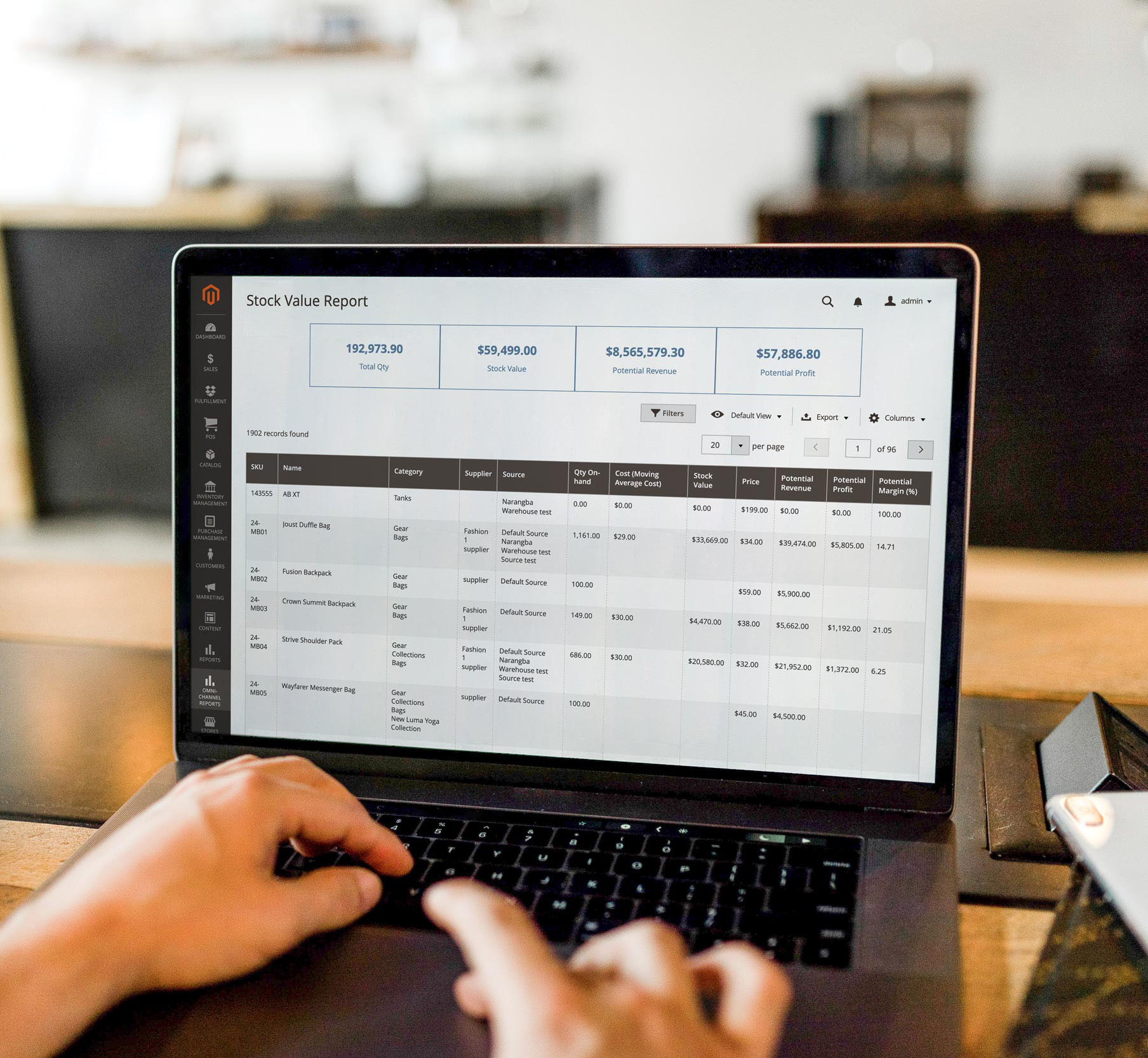
Available in POS Simple & POS Commerce
Prevent cash register shortage with X-report and Z-report
Decrease your loss from carelessness and theft by incorporating improved employee management into your company system.
Our Magento iPad POS app is purpose-built for retailers with cash management by sessions. You can see your cash balance anytime during a working shift with X-report or at the end of a day with Z-report.
Each manual cash-in or out of the cash drawer requires a reason. You’ll know your cash is safe and sound without standing by the counter all the time.
Expand the power of your Magento POS iPad
Magestore POS is more than just a point of sale system. Customize your Magento iPad point of sale, integrate it with all your favorite tools, and ensure that multiple components of your retail business work together.
Pricing
Magestore POS is available as a one-time payment or a subscription. Toggle below to see pricing for each.
Pay once for lifetime POS access, full source code ownership, and unlimited users, devices, locations. Available for Magento Open Source and Adobe Commerce, with a 1-year warranty and 90-day money-back guarantee.
POS Simple
A lightweight POS package for daily operations without the complexity and cost of a full POS system.
Custom quote
Get A Quote
Key features included:
- Checkout with multiple payment methods: Cash, credit and debit cards, partial and split payments, online payments (Stripe, Square, Adyen, Mollie, and more)
- Offline mode
- Customer-facing display mode
- Session management
- Cash denomination
- Multiple cart management
- Order refunds
- Custom products on POS
- Barcode management
- Direct cart/item discount entry on POS
- Magento cart and catalog price rule setup
- Omnichannel loyalty programs: Gift cards, reward/loyalty points, and store credits
- Staff management: Role-based access control, role-based maximum discount limits, and more
- Multi-location management
- POS reports by location, payment method, staff, and session
- Popular 3rd-party integrations: ERP, CRM, marketplaces, accounting software, shipping platforms, and more
- Flexible customization based on unique business needs: New feature requests, custom integrations, and more
POS Commerce
A complete POS package with advanced modules for end-to-end omnichannel management.
Custom quote
Get A Quote
All in POS Simple plan, plus:
- Advanced order fulfillment: Dropshipping, backorder, click-and-collect
- Multi-location inventory management: Stock adjustment, transfer, movement, and more
- Purchase order management
- Supplier management
- Extensive inventory and omnichannel sales reports
Available for Magento Open Source only, with a free trial to get started.
POS Lite
A basic POS package for fast and reliable in-store checkout.
$69/ month
A 7-day free trial
Try for Free
Key features included:
- Real-time data sync between Magento and POS
- Different payment methods: Cash, credit/debit cards, partial payments
- Offline mode
- POS order management
- Custom products on POS
- Order refunds
- Multiple cart management
- Direct cart/item discount entry on POS
POS Simple
A lightweight POS package for daily operations without the complexity and cost of a full POS system.
$89/ month
+$25 per additional store; a 20-day free trial
Try for Free
All in POS Lite plan, plus:
- Online payments: Stripe, Square, Adyen, Mollie, and more
- Session management
- Cash denomination
- Barcode management
- Customer-facing display mode
- Magento cart and catalog price rule setup
- Omnichannel loyalty programs: Gift cards, reward/loyalty points, and store credits
- Staff management: Role-based access control, role-based maximum discount limits, and more
- POS reports by location, payment method, staff, and session
- Popular 3rd-party integrations: ERP, CRM, marketplaces, accounting software, shipping platforms, and more
- Flexible customizations based on unique business needs: New feature requests, custom integrations, and more
Magestore POS packages comparison
Functions | POS Lite | POS Simple | POS Commerce |
Pricing model | Monthly subscription | Monthly subscription One-time payment for a license | One-time payment for a license |
COMPATIBILITY | |||
Magento edition | Magento Open Source (2.3.x - 2.4.x) | Magento Open Source & Adobe Commerce (2.3.x - 2.4.x) *The subscription plan is only available for Magento Open Source. | Magento Open Source & Adobe Commerce (2.3.x - 2.4.x) |
Devices | Tablet, iPad, laptop, PC, Mac | Tablet, iPad, laptop, PC, Mac | Tablet, iPad, laptop, PC, Mac |
MAGENTO MSI SUPPORT | |||
Work with Magento MSI enabled (Reservation enabled) | ✓ | ✓ | ✓ |
Work with Magento MSI disabled (Reservation enabled) | ✓ | ✓ | |
ADMIN CONFIGURATION | |||
Staff management | ✓ | ✓ | ✓ |
Role-based access control | ✓ | ✓ | |
Location management | ✓ | ✓ | ✓ |
Session management | ✓ | ✓ | |
Cash denomination | ✓ | ✓ | |
POS management | ✓ | ✓ | ✓ |
Multi-location support | ✓ | ✓ | ✓ |
CHECKOUT AND ORDER MANAGEMENT | |||
POS order management | ✓ | ✓ | ✓ |
Multiple cart management (Create and hold carts for later checkout) | ✓ | ✓ | ✓ |
Receipt printing & reprinting | ✓ | ✓ | ✓ |
Order refunds | ✓ | ✓ | ✓ |
Custom products on POS | ✓ | ✓ | ✓ |
Basic delivery methods (Flat rate, free shipping, table rates, in-store delivery) | ✓ | ✓ | ✓ |
Direct price override / Unit price editing (Allows cashiers to type a new base price directly in the cart) | ✓ | ✓ | ✓ |
Direct item & cart discount entry (Apply custom fixed or percentage-based discounts to items or the whole cart) | ✓ | ✓ | ✓ |
Role-based maximum discount limits | ✓ | ✓ | |
Cart price rule setup in Magento (auto-displayed on POS) | ✓ | ✓ | |
Catalog price rule setup in Magento (auto-displayed on POS) | ✓ | ✓ | |
Barcode label printing with layout customization (size, position) | ✓ | ✓ | |
Barcode management | ✓ | ✓ | |
Customer-facing display mode | ✓ | ✓ | |
Self-checkout mode | ✓ | ||
PAYMENT METHOD | |||
Cash payments | ✓ | ✓ | ✓ |
Credit and debit card payments | ✓ | ✓ | ✓ |
Partial payment | ✓ | ✓ | ✓ |
Online payments (Stripe, Square, Adyen, etc.) | ✓ | ✓ | |
LOYALTY PROGRAM | |||
Reward/loyalty points | ✓ | ✓ | |
Gift cards | ✓ | ✓ | |
Store credits | ✓ | ✓ | |
INVENTORY MANAGEMENT | |||
Inventory management | ✓ | ||
Inventory adjustment | ✓ | ||
Inventory transfer | ✓ | ||
Inventory movement | ✓ | ||
Purchase order management | ✓ | ||
Supplier management | ✓ | ||
OMNICHANNEL ORDER FULFILLMENT | |||
Backorder | ✓ | ||
Dropshipping | ✓ | ||
Click and Collect | ✓ | ||
REPORT & INSIGHTS | |||
POS reports (Backend admin) | |||
Location reports (Stock lookup by location/source) | ✓ | ✓ | |
Sales by payment method reports | ✓ | ✓ | |
Staff reports | ✓ | ✓ | |
Session reports | ✓ | ✓ | |
POS performance reports | ✓ | ✓ | |
Inventory reports (Backend admin) | |||
Stock value | ✓ | ||
Stock details | ✓ | ||
Stock by source | ✓ | ||
Incoming stock | ✓ | ||
Historical stock | ✓ | ||
Omnichannel sales reports (Backend admin) | |||
Sales by time-frame | ✓ | ||
Sales by customer | ✓ | ||
New vs returning customer | ✓ | ||
Sales by country | ✓ | ||
Sales by product catalog | ✓ | ||
Sales by product feature | ✓ | ||
Sales by product performance | ✓ | ||
Sales by payment type | ✓ | ||
INTEGRATION | |||
Popular 3rd-party payment processors (Stripe, Square) | ✓ | ✓ | |
Popular 3rd-party integrations (ERP systems, marketplaces, accounting software, shipping platforms, and more) | ✓ | ✓ | |
OTHERS | |||
Offline mode | ✓ | ✓ | ✓ |
Responsive POS interface (Auto layout adjustment on desktop/tablet screen resize) | ✓ | ✓ | ✓ |
Customization based on specific requirements: Create a new feature, build a custom integration, etc. | ✓ | ✓ | |
SUPPORT | |||
Channel | Helpdesk Portal | Google Meeting, Slack, Email, WhatsApp | Google Meeting, Slack, Email, WhatsApp |
Support time | One-time payment plan: 1-year free support after purchase + Free implementation | 1-year free support after purchase + Free implementation | |
Installation | Installation fee: $50 *Applicable if you require installation support from the Magestore team. | One-time payment plan: Free one-time setup on one staging site and one live site Subscription plan: Installation fee: $100 *Applicable if you require installation support from the Magestore team. | Free one-time setup on one staging site and one live site |
Source code access | ✓ *Only available with the one-time payment plan. | ✓ | |
REFUND | |||
Time to refund | Within 90 days from the purchase date *Only available with the one-time payment plan. | Within 90 days from the purchase date | |
How merchants rate us on review platforms



A robust iPad POS system for different industries
Sell more and run your business right from your iPad
With one single POS system, you can use it on a desktop or a lightweight iPad to sell whenever and wherever you want.
FAQs
What is a Magento iPad POS?
Magento iPad POS is a point of sale solution built specifically to work with Magento and run on an iPad. It allows you to accept payments, create receipts, track inventory, and manage daily business flow with an iPad. In other words, Magento POS software is called Magento iPad POS if it’s compatible with iPad devices.
Can you use an iPad as a POS system?
Yes. With the necessary hardware such as a card reader, payment terminal, cash register, and barcode scanner, you can use an iPad as a POS system to manage orders, sales, customers, and inventory conveniently.
Can I use my tablet as a POS system?
Yes, you can use your tablet as a POS. Many POS systems, like Magestore Magento mobile POS, can work on both iPads and tablets. You’ll need the right combination of POS software and hardware to manage your business operations with a tablet.
Can an iPad be used as a cash register?
Yes, the iPad can be used as a cash register, but retailers need to use some other devices such as card readers and receipt printers.
What iPad is Magestore POS compatible with?
Magestore POS is a web-based POS app that runs on a browser, so you can use it on all iPad versions and Macs. Besides iPads, it’s compatible with Android tablets, laptops, and PCs.
Can I install Magestore iPad POS for Magento on multiple iPads?
Yes. You can install one or multiple POS registers in a location, so Magestore POS can work on multiple iPads. When there are any changes in stocks or order updates, these changes are automatically updated and synced across sales channels. Only with a POS URL, you can seamlessly run Magestore POS on an unlimited number of iPads.
How does iPad POS differ from desktop POS?
There’s no difference between the Magestore iPad and Magestore desktop POS version. You’ll see the same interface and function on your devices.
Is there any Magento 2 POS iPad free?
You can see some free iPad POS options in the market like Square iPad POS but it limits on features and you’ll need to pay extra fees to run your business, of course. Additionally, if you want to connect Square iPad POS with Magento, you have to use a connector or middleware to transfer data between the two systems.
When using Square POS integrated with Magento via a connector, you might encounter extra costs, including:
- Connector fees – Required to integrate Square POS with Magento, as Square is not a Magento-native POS.
- Addon fees – Square’s free plan only includes basic features to process payments, so additional functionalities in premium plans, such as inventory management and reporting, often come at a cost.
- High processing fees – Square only supports its built-in payment processing, which may be more expensive than alternatives.
- Hardware costs – Advanced hardware, such as contactless/chip readers, iPad stands, or terminals, may require extra payment.
Instead, you can look for Magento-native iPad POS providers with free demos or free trial packages. Use the Magestore POS for free within 7 days (POS Lite) or request a free custom demo (POS Commerce; POS Customization) to experience the system and make a final decision on your right POS solution.




Proud to be an
Trusted by 15,000+ global retailers