



Choosing the best Magento 2 POS for you requires careful consideration.
The degree to which a POS system can work with Magento varies. Inadequate integration may limit the POS’s ability to utilize Magento’s capabilities fully. In specific instances, certain POS systems might encounter issues like data inconsistencies and other complications due to this limited integration.
Drawing from over 14 years of experience assisting Magento merchants with POS solutions and direct familiarity with a range of POS offerings, we’ve made a comprehensive list of the best POS for Magento curated just for you.
Furthermore, we’ve developed an all-encompassing guide to aid you in choosing the appropriate POS system for your business needs. This resource is founded upon our rigorous testing, extensive research, and valuable insights garnered from customer feedback.
Key takeaways
- Compare the best paid POS systems for Magento, including Magestore POS, Ebizmarts POS, Webkul POS, BindoPOS, BoostMyShop POS, Supermax POS, and more, with detailed insights on key features, pricing, pros and cons, real customer reviews, and ratings from trusted platforms.
- Explore free Magento POS systems that cover standard checkout and basic store operations, ideal for small businesses or those testing POS functionality.
- Consider essential criteria when selecting a Magento POS: Magento compatibility (native vs. non-native), checkout speed and performance, user-friendliness, scalability, customization capability, data security, cost-effectiveness, and quality of customer support.
- Follow a structured approach when choosing a Magento POS, including defining must-have features, setting your budget for both hardware and software, comparing POS vendors, and obtaining detailed consultation before making a purchase decision.
Best POS systems for Magento: a comparison chart
POS | Key features | Starting price | Customer reviews | Rating | Suitable for |
Magestore POS |
|
|
| 4.8/5 on Capterra (24 reviews) | Suitable for all-sized Magento retailers looking for a feature-rich, customizable, native Magento POS system |
BindoPOS |
|
|
| 3.8/5 on Capterra (147 reviews) | Suitable for small businesses looking for a user-friendly POS solution |
Webkul POS |
|
|
| 4.7/5.0 on Trustpilot (across all products) | Suitable for new Magento merchants looking for an affordable POS with core functionalities |
Ebizmarts POS |
|
|
| 3.4/5.0 on Trustpilot (across all products) | Suitable for Magento retailers who prefer to run the POS on iPad devices |
BoostMyShop POS |
|
|
| 5.0/5.0 on BoostMyShop’s website | Suitable for medium Magento retailers who have already used BoostMyShop ERP and other addons |
Supermax POS |
|
|
| 5.0/5.0 on Adobe Commerce Marketplace (2 reviews) | Suitable for businesses seeking a Magento POS system with restaurant-focused features |
12 Best POS for Magento: A detailed review of features, pricing, pros and cons
Best paid POS system for Magento
1. Magestore POS: Best POS for Magento with Magento-native architecture, real-time inventory sync, omnichannel retail support, customization and scalability
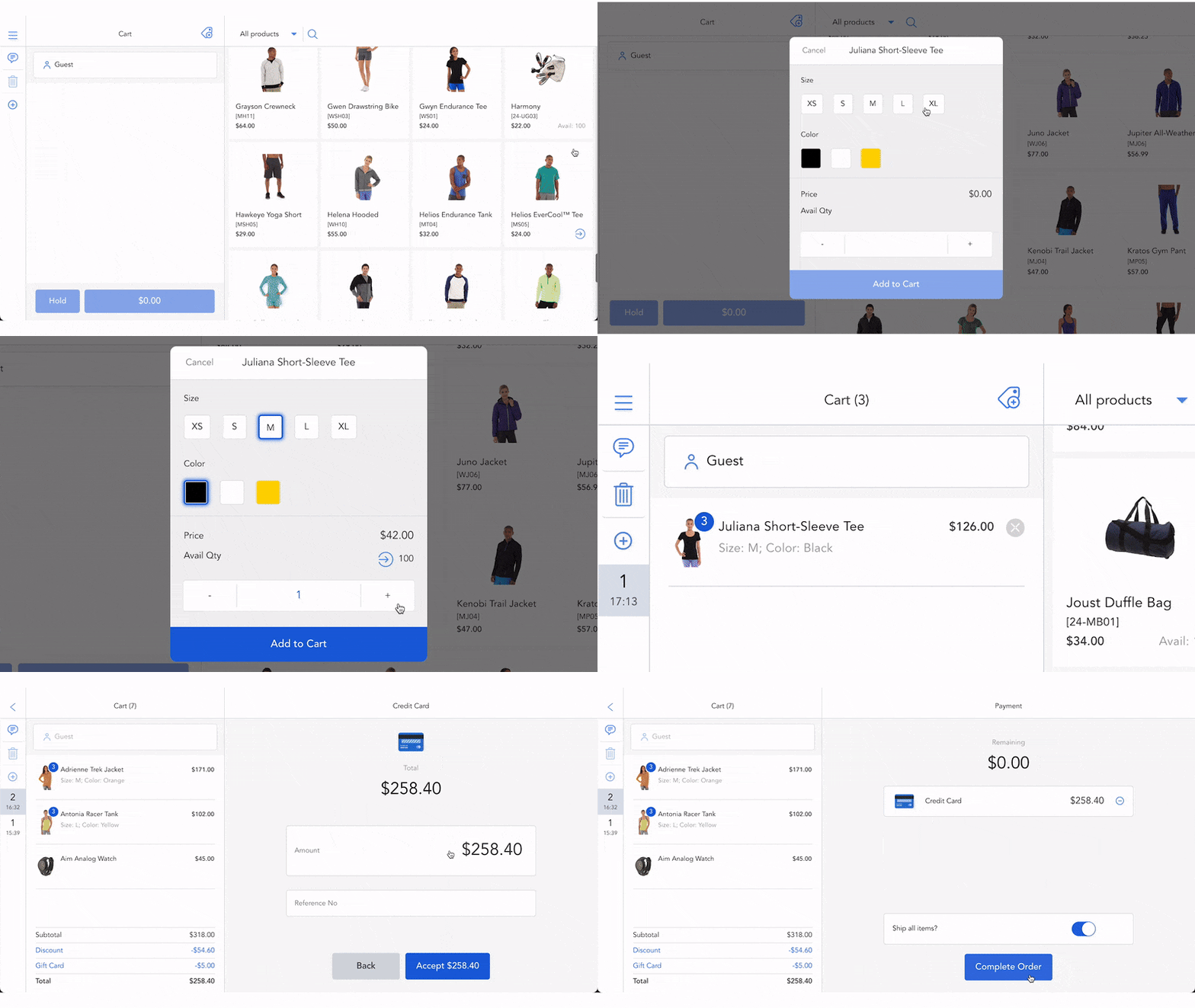
The reason why Magestore POS is one of the best POS for Magento integration because it has a direct and stable connection with Magento. Magestore POS is a Magento-native solution, meaning it integrates directly with Magento without relying on a connector or middleware.
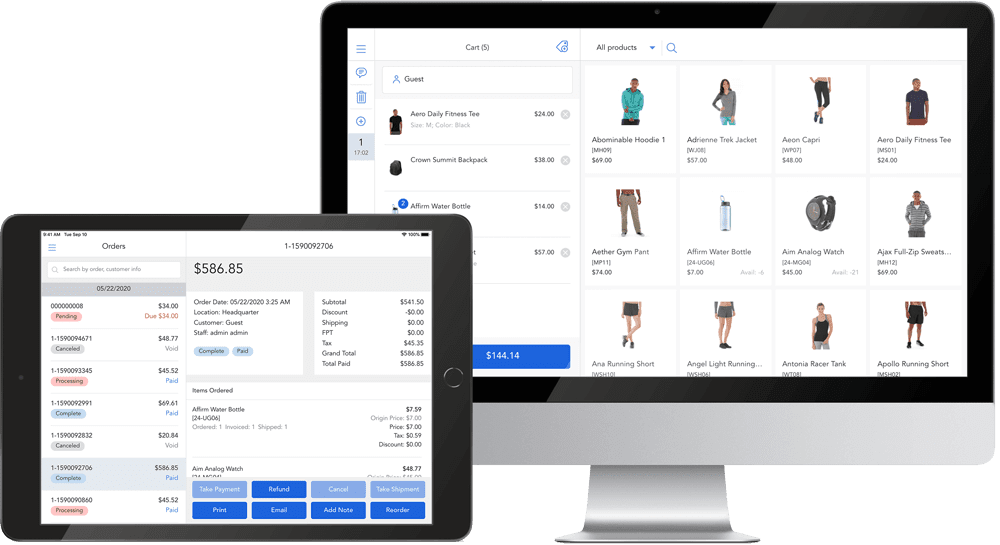
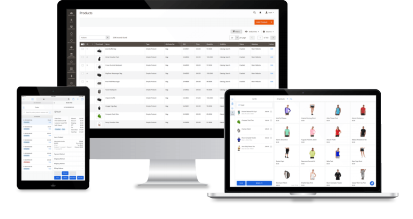
Magento-native POS by Magestore
Beyond standard checkout capabilities, Magestore POS supports omnichannel retail by integrating with Magento and other key marketplaces for multichannel selling, enabling multi-location and multi-store management, unifying loyalty programs across online and offline channels, and offering flexible fulfillment options such as in-store pickup or ship-from-store.
Magestore POS is well-suited for businesses looking to scale and address retail challenges that generic POS systems often struggle to solve. While many POS solutions offer extensive features, the diverse retail landscape presents unique issues that no single vendor can fully cover. This is where Magestore POS stands out, as it is highly customizable to your specific business requirements, whether you need to build a new custom feature or integrate with a custom system. If expansion is on your mind, Magestore POS is also a budget-friendly choice. You can add as many locations, POS users, devices, and products as needed without extra fees.
POS hardware is an essential component of any Magento POS system to ensure smooth in-store checkout operations. While many POS solutions lock merchant in their hardware ecosystem, Magestore web POS gives you the flexibility to choose the hardware you want to use because it supports a wide range of devices and hardware capable of running a web browser.
Prices:
- Magento POS extension (POS Lite): $69/month
- POS Commerce + POS Customization: Tailored pricing according to your business’s size, distinct requirements, and
Pros | Cons |
|
|
Features:
- Checkout completed in under 15 seconds
- Real-time synchronization across channels and devices
- Unified loyalty programs across both online and offline channels: Gift cards, store credits, or reward points
- Multi-store management
- Multi-channel selling
- Accurate inventory management for multiple locations and warehouses
- Flexible omnichannel order fulfillment: Click and collect, buy online and pay at store, ship from store, etc.
- Centralized purchasing
- Barcode scanning support
- Return and refund process directly in the POS frontend
- Extensive report types: POS reports, inventory reports, and omnichannel sales reports
- 3rd-party integrations with ERP, CRM, accounting, payment, shipping, and more
- PWA POS to use as an app
2. Ebizmarts POS – Flexible and mobile POS solution for Magento stores
Ebizmarts specializes in providing POS, payment, and email marketing extensions, offering free Mailchimp and payment integration within your POS subscription. The Mailchimp extension is included in the package.

Ebizmarts Magento 2 POS
Moreover, users have numerous options to customize receipt features. Ebizmarts’ packages are generous, with no charges for order volume or setup fees. All users get a free test account and email support. The Enterprise+ package offers even more enhanced features.
🔔 Read more: Ebizmarts POS vs. Magestore POS
Prices:
- Enterprise: $350/month, plus $99 per month for additional key
- Enterprise +: custom pricing
Pros | Cons |
|
|
Features:
- Manage data quickly through a user-friendly iOS interface
- Apply instant discounts on orders by percentage, fixed amount, or custom price
- Set different prices for products based on Customer Groups
- Unify your customer base across both physical and digital channels
- Customize tax settings to accommodate various scenarios
- Easily keep track of cash, adjust amounts, and generate shift reports
3. Webkul POS — Versatile POS extension for various eCommerce platforms
Another POS system for Magento that we can’t overlook is Webkul POS — an affordable choice for new Magento merchants needing essential features.
They stand out with their user-friendliness and strong support. The POS efficiently manages multiple physical stores and retail outlets across locations, synchronizing crucial data like sales, orders, inventory, and products with your online store.
The system works in both online and offline modes. Upon internet reconnection, it seamlessly syncs offline store sales and customer data with the online store, ensuring uninterrupted operations.
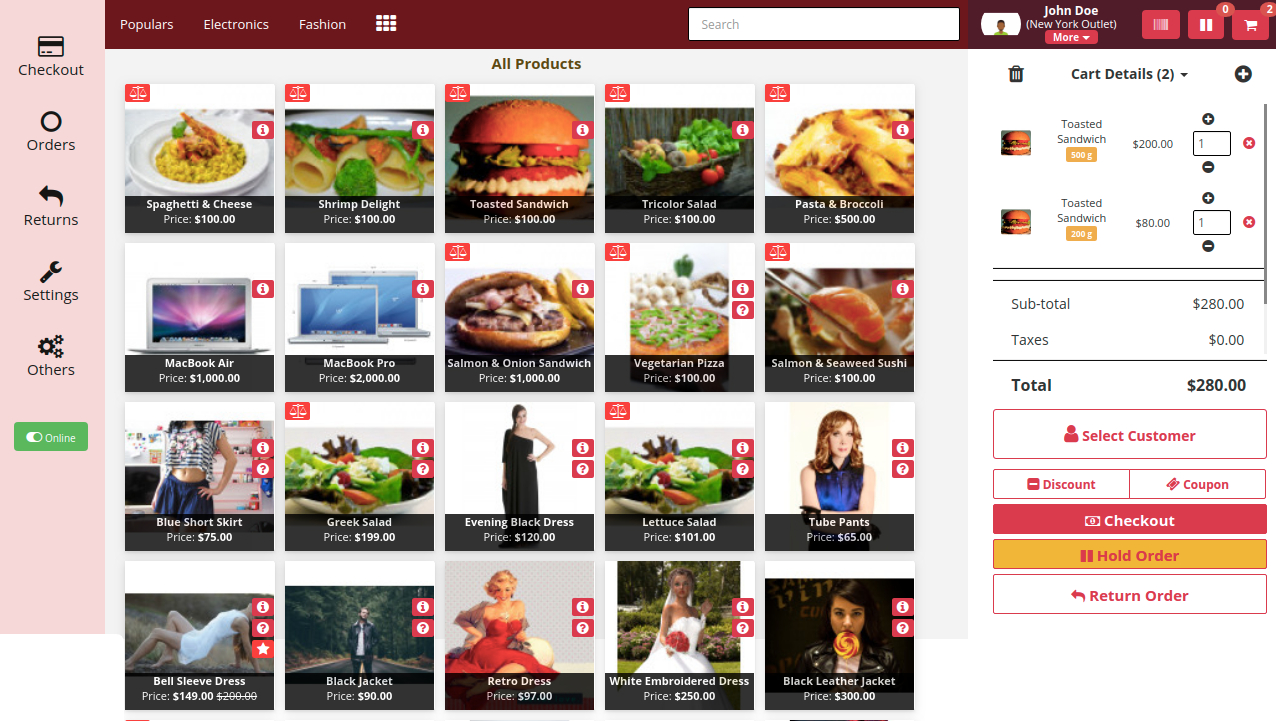
Webkul Magento 2 POS
Prices
Product:
- Community Edition: $199
- Enterprise Edition: $398
- Enterprise Cloud Edition: $398
Support:
- 3 months: no extra cost
- 6 months: $79.60
- 1 year: $99.50
Installation: $150
Pros | Cons |
|
|
Features:
- Synchronize data in real-time
- Display stock status
- Assign sales representatives to physical stores
- Work in offline mode
- Search customer accounts by phone number
- Support a wide range of payment options
- Allow shopping cart holding
- Offer comprehensive sales reports
4. BindoPOS — Secure POS and payment solution for F&B, retail and hospitality
If you’re a small business seeking a user-friendly POS solution, consider Bindo POS.
Pricing starts at $59 per month for the initial register and can support up to 20 retail outlets. However, there are various pricing plans and customization options available.
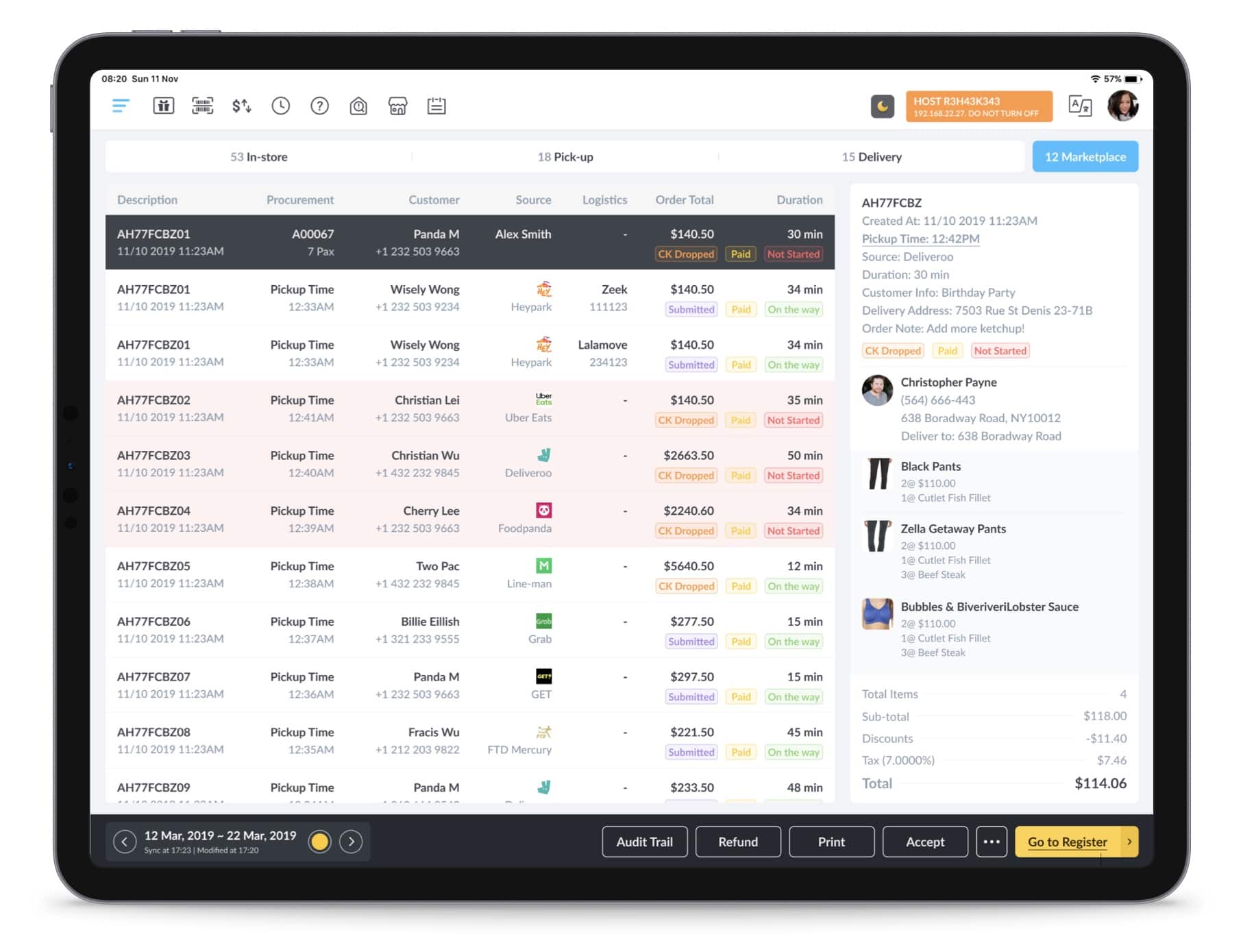
Magento 2 POS by Bindo Labs
Prices: No Public
Pros | Cons |
|
|
Features:
- Easily manage your inventory with automatic and portable solutions
- Gain insightful and comprehensible business data at your fingertips
- Utilize gift cards as a cash alternative.
- Share detailed information across all stores, with individual setup options
- Accept all major offline and online payment methods
- Scan, order, and pay conveniently from any mobile device
5. Supermax POS — Streamlined POS system for online and in-person retail
Supermax POS for Magento is a versatile solution that comes with a kitchen and bar display system, real-time synchronization, and numerous other features.
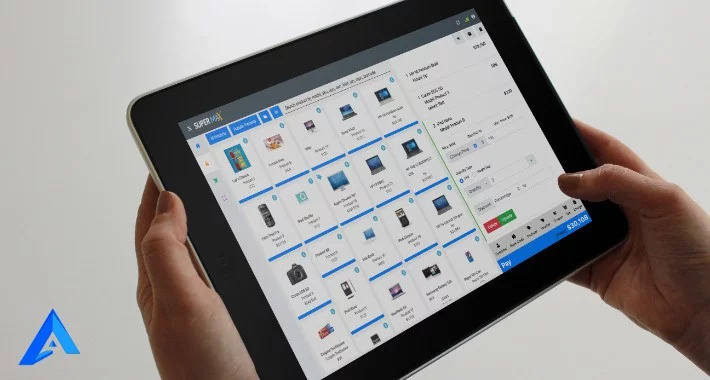
Supermax Magento 2 POS
Prices:
Product:
- Magento Open Source: $599
- Magento Enterprise Edition: $1,198
Support:
- 3 months: no extra cost
- 15 months: $499
- 27 months: $799
- 39 months: $999
Installation service: $49
Pros | Cons |
|
|
Features:
- Works in different languages and currencies, including those written from right to left
- Work offline and sync data automatically when online
- Utilize Google Angular Framework for seamless, pageless operation
- Enable quick checkout with payment method selection
- Add products via barcode scanning
- Allow POS users to apply custom discounts, taxes, and charges
- Support cart holding, custom payments, order status, and comments
- Facilitate product returns, price adjustments, and addition of custom products
6. Boostmyshop POS — Scalable POS system for Magento 2 with supplier management
BoostMyShop POS is an affordable Magento 2 POS extension created for retailers emphasizing dropshipping.
👉 Read more: BoostMyShop POS vs. Magestore POS
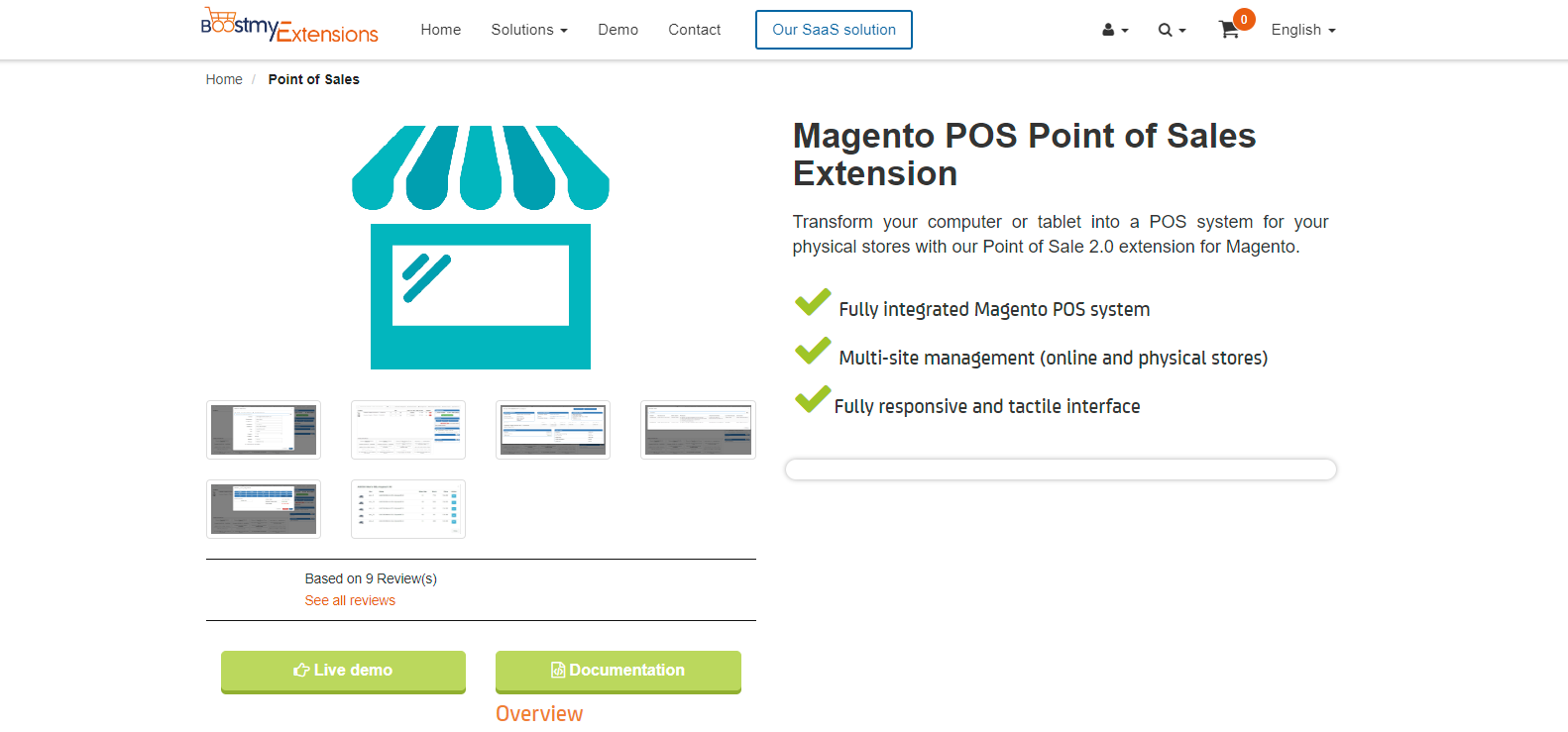
BoostMyShop Magento 2 POS
Prices: These payments are one-time
Product:
- Community: $487.65
- Enterprise: $902.51
Support:
- 3 months: Included
- 6 months: + $75.53
Installation: + $97.42
Pros | Cons |
|
|
Features:
- Store pickup as a shipping option for simple products
- User-friendly interface that supports touch screens
- Multi-user access across different websites
- Support for various payment methods, coupon codes, and customized pricing
- Quick shortcuts to add best-selling items to the cart
- Automatic receipt generation and printing
- Z-report generation
7. Acid POS — Cloud-based POS system with strong customer engagement features
Acid POS is a feature-packed non-native point-of-sale system designed specifically for florists, fashion retailers, and wholesale businesses.
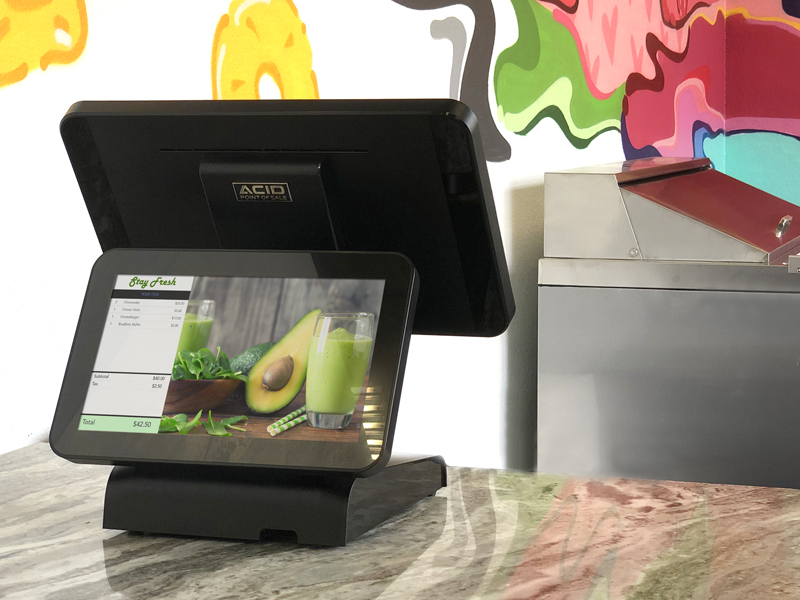
Acid Magento 2 POS
Prices:
- Single retail store: $465/month
- Florist POS: $595/month
- Enterprise POS: custom
Pros | Cons |
|
|
Features:
- Manage tickets, tips, and donations
- Automatically synchronize data across inventories, physical stores, and online stores
- Offer reports on payments, taxes, wholesale transactions, and sales by brands
- Access customer information and purchase histories, with the option to add custom fields for additional insights
- Implement loyalty rewards and tier-based discounts
- Monitor staff performance and attendance
- Manage labels and barcodes
- Administer permissions and roles for various users
- Handle refunds and exchanges
- Customize product attributes like size and color during checkout
- Enable flexible transactions, including split payments, in-store pickups, discounts, layaway, and invoicing
8. Lightspeed POS — Intuitive POS and payments platform for retail
Lightspeed POS is notable for its comprehensive range of software tailored for different industries, such as golf, restaurants, eCommerce, and retail, creating an extensive ecosystem of solutions.
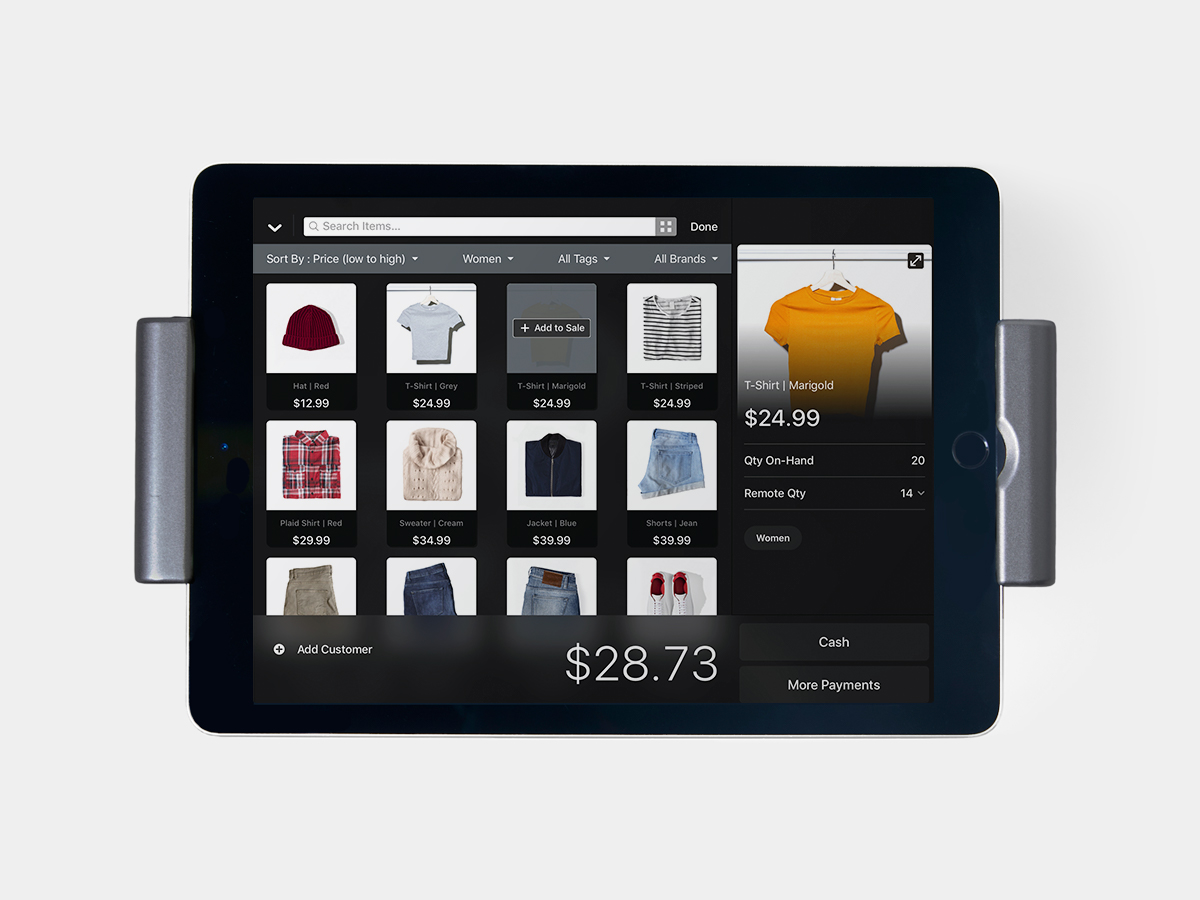
Lightspeed POS
Unlike other checkout systems linked to specific e-commerce platforms, Lightspeed POS stands alone.
It can easily connect with different eCommerce systems, making it compatible with a variety of businesses. But because it’s not native to any platform, some unexpected issues might occur during integration.
👉 Read more: Magestore vs LightSpeed
Prices:
Retail POS
Basic:
- Product: $89/month when billed annually, $109/month when billed monthly
- Transactional fees: Card-present rate: 2.6% + 10¢
Core:
- Product: $149/month when billed annually, $179/month when billed monthly
- Transactional fees: Card-present rate: 2.6% + 10¢
Plus:
- Product: $289/month when billed annually, $339/month when billed monthly
- Transactional fees: Card-present rate: 2.6% + 10¢
Pros | Cons |
|
|
Features:
- Empower businesses to sell products both in physical stores and online
- Provide tools for managing inventory, including custom categories, quick edits, and transfers
- Offer reporting and analytics tools to gather insights
- Enable businesses to create exceptional customer experiences through barcode scanning, special orders, automatic discounts, and more
9. Clover POS — All-in-one POS with customizable software and hardware
Clover POS is well-known for its user-friendly nature and hassle-free setup.
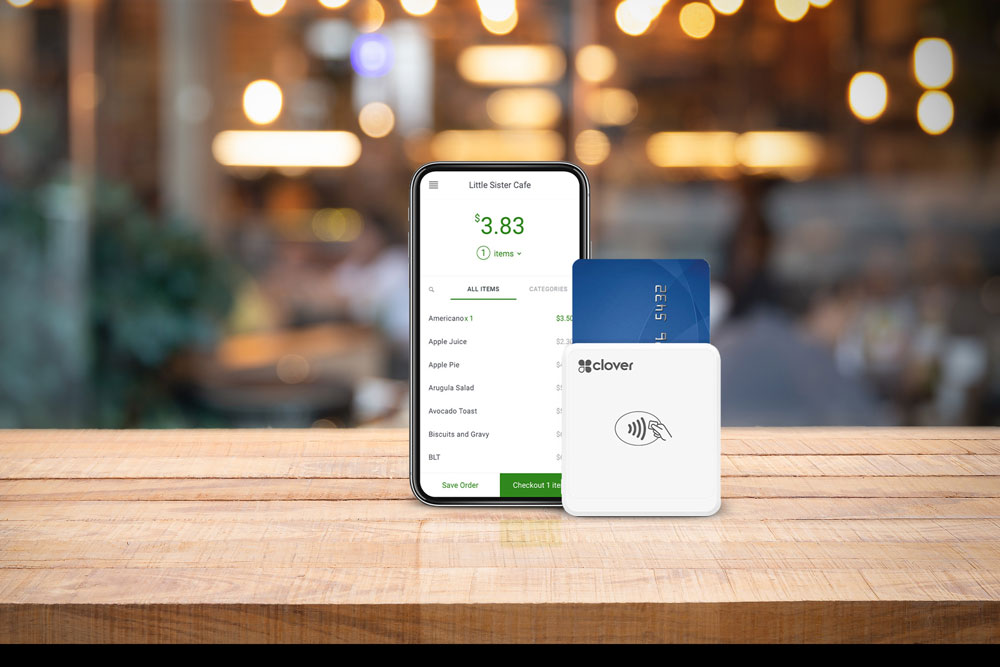
Clover POS
The hardware and software components are nearly prepared for immediate use.
Furthermore, there’s an option to opt for a preloaded menu. The system is intuitive, only taking 15 to 20 minutes to master.
👉 Read more: Clover POS system vs Magestore
Full-service dining | Full-service dining | Full-service dining | Quick service dining | Quick service dining | Quick service dining |
Starter | Standard | Advanced | Starter | Standard | Advanced |
$1,699+ $84.95/mo or $160/mo for 36 months | $2,298+ $99.90/mo or $210/mo for 36 months | $4,097+ $114.85/mo or $310/mo for 36 months | $799+ $54.95/mo or $100/mo for 36 months | $1,799+ $54.95/mo or $140/mo for 36 months | $2,398+ $69.90/mo or $190/mo for 36 months |
$14.95/mo for each additional device | $14.95/mo for each additional device | $14.95/mo for each additional device | $14.95/mo for each additional device | $14.95/mo for each additional device | $14.95/mo for each additional device |
Prices:
Pros | Cons |
|
|
Features:
- See all your sales, stock, and customer info on one dashboard
- Make your own items, services, changes, categories, and discounts on a handy item grid
- Save customer details, follow their buying history, and use CRM tools, loyalty programs, and feedback options
- Take different payments easily with a fixed rate and no secret charges
- Set up an online store, sell on social media, and connect with 3rd-party apps
Best free POS system for Magento
1. PayPal Zettle — Simple payment checkout solution for small businesses
PayPal Zettle is ideal for small businesses selling in person. Your PayPal account and Zettle app are free, with only payment processing fees of 2.29% + $0.09 for in-person cards and contactless sales.
The app is versatile, working on Apple and Android devices. It allows quick data input, discounts, inventory tracking, sales reports, and more on the go.

PayPal Zettle
Prices:
PayPal Zettle app: free
Transaction fees:
- 2.29% + $0.09 per transaction for card-present transactions
- 3.49% + $0.09 per transaction for manual card entry transactions
- 2.29% + $0.09 per transaction for QR code transactions
- 3.49% + $0.49 per transaction for invoicing (PayPal payments)
- 2.99% + $0.49 per transaction for invoicing (cards and alternative payment methods)
POS hardware:
- $29 for the first card reader and $79 for each additional card reader
- $199 for a POS terminal, and $239 for a POS terminal with a barcode reader built-in
Pros | Cons |
|
|
2. IWD Magento 2 POS — Easy POS extension for Magento 2 with barcode and receipt support
As a POS extension for Magento 2, IWD Magento 2 POS stands out for its stability within the platform. The extension is exclusively designed to function with PayPal, allowing you to experience all the benefits that PayPal has to offer.

IWD Magento 2 POS
Prices:
- POS: free
- PayPal card reader: $29 for the first card reader, $79 for each additional card reader
- PayPal transaction fees
Pros | Cons |
|
|
Features:
- Support PayPal-standard security measures
- Browse and filter products and orders
- Incorporate coupons and apply discounts
- Locate customer accounts or create new ones during checkout
- Facilitate refunds
- Synchronize products, inventory, shipping, and payment methods from your Magento stores
3. Square POS — Easy-to-use POS system for start-ups or small businesses
Square POS’ free version is user-friendly and straightforward to set up, offering basic functions on the Magento platform. Furthermore, its payment processing is both swift and efficient.
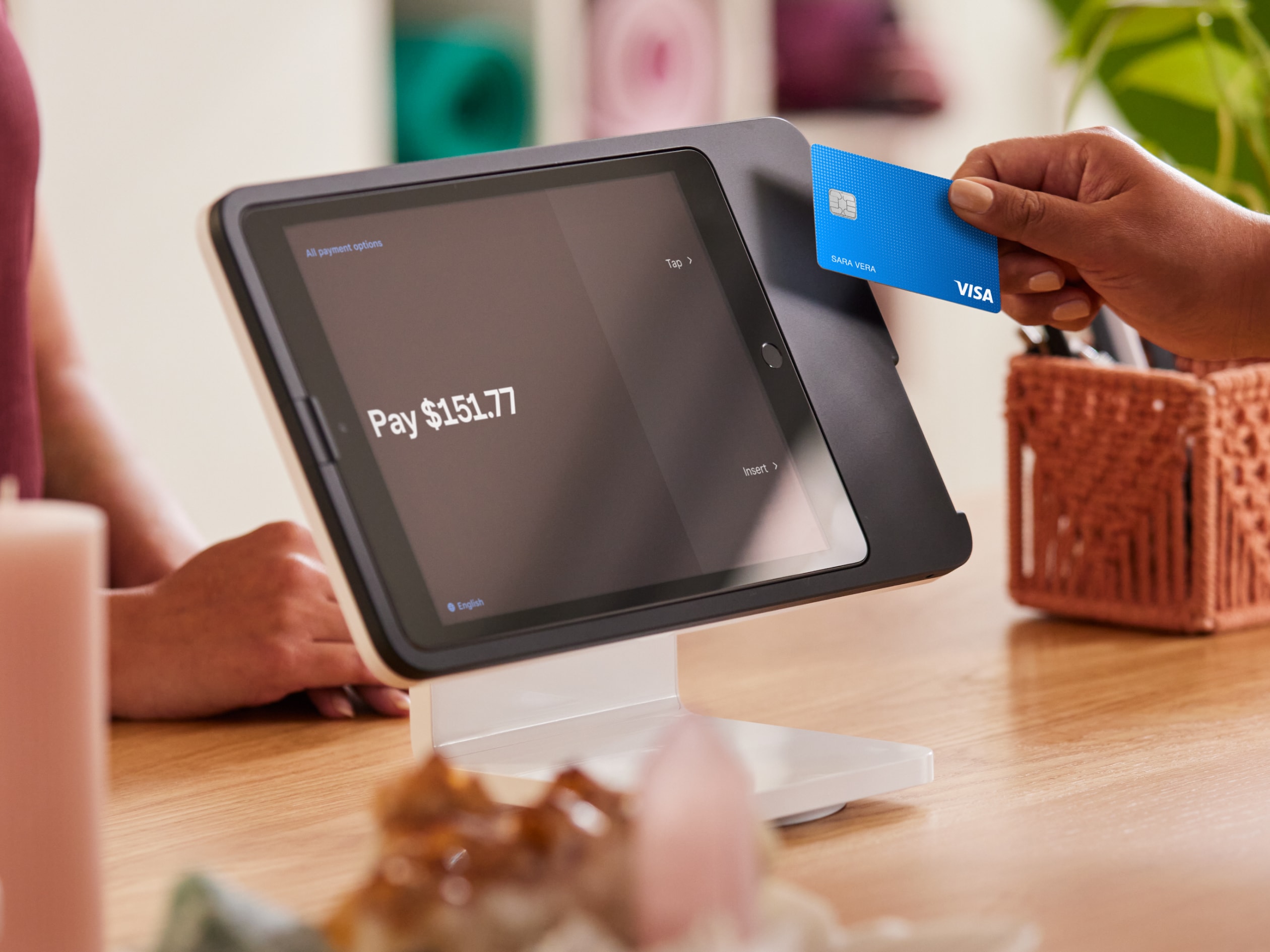
Square POS
Prices:
- POS system: Free
- Processing fees:
- Card present: 2.6% + 15¢ per transaction
- Card not present: 2.9% + 30¢ per transaction
- Keyed in: 3.5% + 15¢ per transaction
- Hardware: May cost up to $799
Pros | Cons |
|
|
Although these POS have features and services in common, they differ in how they integrate with the Magento platform. To better understand the differences, you can read this article: Magento POS integration: When a connector is ‘good enough’ vs when you need a native POS.
We’ve analyzed many internal projects, checked with official documentation from Adobe Commerce and connector providers, and confirmed with our seasoned business consultants and developers to ground these internal benchmarks.
Key features to look for in a Magento 2 POS system
Choosing the best Magento 2 POS for your business can be complex due to three factors: the constantly evolving point of sale landscape, the intricate nature of the Magento platform, and the limited expertise and experience of retailers in assessing their options.
To help you select the most suitable Magento 2 POS system, we’ve listed essential criteria, along with nice-to-have ones, for your reference.
Must-have features in the best POS system for Magento
1. Integration capabilities: Have a stable connection with Magento, POS hardware, and third-party tools (ERP, accounting, shipping, etc.). A Magento-native POS is recommended.
>>> What is Magento POS? Differentiating native and non-native solutions
2. Effective checkout: Handling orders quickly and reliably, especially during peak times, is a key criterion of the best POS for Adobe Commerce.
3. Ease of use: Support quick employee training, offer a minimal learning curve, feature an intuitive interface, and be compatible with popular hardware.
4. Scaling: Able to grow with your business through strong customization, flexible integration, the ability to add new locations with low to no cost, and more.
5. Customization: Adapt to your unique business needs through flexible customization options, including adding extra features, integrating with third-party software, or connecting to custom systems.
6. Data security: Meet essential security requirements, including PCI/P2PE compliance, malware protection, network security, and EMV standards.
7. Value for money: Deliver an affordable cost relative to the value and capabilities it provides.
8. Customer support: Offer instant, flexible support options, including personalized consultations, go-live assistance, customization services, premium support, system operation help, onboarding and training, phone and online support, a knowledge base, and video tutorials.
Nice-to-have criteria in a Magento POS system
1. Reporting capabilities: Generate different types of reports to provide essential insights for retailers.
>>> POS reporting — Definitive guide for savvy retailers in 2026
2. Uninterrupted service: Maintain continuous functionality during Internet outages through a reliable offline mode.
How to choose the right POS system for Magento
Follow the step-by-step guide below to help your store get the best POS for Adobe Commerce.
Step 1. Define all must-have features to run POS at selling points
The initial stride in locating the ideal POS system for your Magento 2 website is to pinpoint all the indispensable features, functions, and associated services necessary for processing sales at physical stores, popups, or offline events. Subsequently, jot these down for reference as you evaluate various solutions.
Scenario 1: You already operate a Magento 2 website and are now looking for a POS that aligns with your existing setup.
- List the POS features you need based on your existing catalog structure, MSI setup, store views, and workflows
- Compare these requirements with the capabilities of each POS on your shortlist
Scenario 2: You are developing a new Magento website and need to select a POS system simultaneously.
Because you are working from a clean slate, define the requirements for both systems together to ensure long-term alignment.
- List what your Magento website must support (catalog structure, MSI, customer accounts, promotions, expansion plans)
- List what your POS must support at the store level (checkout workflows, inventory processes, customer interactions, hardware needs)
- Align these requirements so your online and offline workflows operate as a unified system from day one
Step 2. Determine your budget
- Hardware: Make a list of POS system devices you require for your current operations (*If you have expansion plans, also note down the hardware necessary for your future growth), check their compatibility with the POS system, and calculate the total cost.
Here are a few examples of items you can include in your list:
Brand/Models | No./Units | |
Terminal (PC / Mac / Mobile) | ||
Receipts Printer | ||
Cash Register | ||
MSR/Payment Terminal | ||
Barcode Scanner |
- Software: Review the different POS system types (on-premise, cloud-based, mobile POS, self-service kiosks, all-in-one systems, etc.) and select the one that best fits your store. Be sure to calculate both upfront and recurring costs to ensure the solution aligns with your budget.
Step 3. Research and compare POS systems from different vendors
- Sources to research: Google; websites for software reviews such as Trustpilot, G2, Capterra, and Magento; marketplaces; social media (LinkedIn Groups in particular); online and print publications; etc.
- Details to explore: Features and functionality of their solution, pricing, areas of expertise, business hours, warranty information, etc.
Step 4. Talk with sales and try a demo before you buy
- List your essential POS criteria (from Step 1), then request product references directly from vendors
- Trial the solutions yourself. Observe the following criteria
Criteria | Magestore | Company A | Company B |
Speed | |||
Simplicity | |||
Rich features | |||
Real-time data syncing | |||
Checkout without the Internet | |||
Easy to scale up | |||
Easy to customize | |||
Easy to integrate via API | |||
Reporting |
Conclusion
Choosing the best POS for Magento 2 depends on individual business needs. New merchants with budget constraints might prioritize affordability, while established businesses value customization tailored to their retail operations. For those seeking customization and scalability, Magestore POS is the optimal choice. On the other hand, PayPal Zettle is an excellent free option for small businesses with limited transactions.
No matter your business stage, a thorough analysis of current requirements and future plans, along with evaluating potential POS partners, is crucial. This ensures you make a well-informed decision that aligns with your business goals.
FAQs
1. What is a Magento POS system?
A Magento POS (Point of Sale system) integrates your online store with physical stores, syncing sales data, inventory, and customer information across channels. Some key functions of a feature-rich Magento POS system include inventory management, customer management, loyalty programs, omnichannel fulfillment, employee management, reports, etc.
2. What are the different types of Magento POS systems?
There are two different types of a Magento POS system: Magento native POS and Magento non native POS (Magento standalone POS).
A Magento native POS means that the POS is built within Magento, eliminating the need for a connector or middleware to integrate the POS with Magento.
Meanwhile, a Magento non native POS operates separately with its own database, and you will need to have a connector or middleware to transfer data between the POS and Magento.
Magestore POS is an example of a Magento native POS, while Square POS is an example of a Magento non native POS.
3. Does Magento have a POS system?
Magento—an open-source eCommerce platform, which is now Adobe Commerce, doesn’t include a built-in POS system. Nonetheless, numerous 3rd-party vendors offer POS solutions compatible with the Magento platform. However, the extent of these solutions’ integration with Magento and their feature sets can vary.
4. What is the best operating system for Magento?
If your business operations are complicated, you can use the Magestore retail management system for Magento. This helps manage all retail operations from checkout, payment processing, order and loyalty management to inventory, warehouse, and purchasing management. Besides, you can integrate Magestore POS with other tools such as CRM, ERP, accounting, and human resource planning to ensure you can sync all with Magestore easily without errors.
5. How do I find the best POS system for my business?
If you’re a Magento user, refer to the comprehensive guide above for assistance. To equip your store with the best POS for Magento, you need to understand your business type, and specific requirements, and consider factors such as included features, guarantee policy, support, and budget.
6. Is Magestore POS native to Magento?
Yes. Magestore POS is native to Magento, directly integrating with Magento without requiring any 3rd party extensions or connectors. This ensures your orders, inventory, and customer data from the Magento store and physical stores are synced completely.
7. What is the most effective offline POS solution that seamlessly integrates with Magento?
A POS offline mode enables merchants to process transactions without an internet connection. Some common functions that a POS can support in offline mode include handling transactions, processing returns/refunds/exchanges, printing receipts, etc.
Magestore POS is a Magento POS system that provides offline mode functionality, enabling merchants to process transactions on the go, for example, at trade shows, without needing internet.