



Real-time sync between online and physical stores is key to inventory accuracy and keeps every channel aligned. Without it, omnichannel workflows break, and customer data drifts.
This article highlights the top 3 Magento POS solutions that support real-time inventory sync and omnichannel management, including Magestore, Magefan, and Webkul POS. All three support instant sync and key omnichannel features, but they differ in how fast and reliably they sync, how well they support complex workflows, and how smoothly they operate when stores and transaction volumes, SKUs increase.
We’ll compare them across advanced features, offline performance, Multi-Source Inventory (MSI), and operational efficiency so you can choose the system that fits your operations.
- What does real-time inventory synchronization mean?
- What does omnichannel management mean?
- Why does a Magento POS for real-time inventory sync and omnichannel management need reliability and scalability?
- Compare 3 POS for Magento solutions with real-time inventory sync and omnichannel support: Magestore vs Magefan vs Webkul
Key takeaway
- Real-time inventory sync is critical: Ensures accurate stock, prevents overselling, and keeps all channels aligned as sales happen.
- Omnichannel management depends on accurate sync: Reliable BOPIS, ship-from-store, cross-channel returns, unified customer data, and loyalty programs require up-to-date inventory.
- Operational reliability matters: Offline mode, fast checkout, and the ability to handle multiple stores and large SKU counts prevent disruptions during peak hours.
- Vendor choice depends on business scale: Magestore excels for enterprise or multi-store setups, Magefan fits small to mid-sized retailers with simpler workflows, and Webkul suits budget-conscious merchants with low complexity.
- Make the right decision based on different factors: Evaluate Magento 2 POS based on sync speed, MSI accuracy, omnichannel features, offline reliability, and scalability before making a commitment.

What does real-time inventory synchronization mean?
Real-time inventory sync means every stock change updates instantly across all channels, not minutes or hours later. It ensures Magento and every store location always show the same, accurate inventory, so you avoid overselling and keep omnichannel operations running smoothly.
Key features that enable real-time sync include:
- Native integration: directly connects to Magento without a 3rd-party connector, reduces errors, and ensures consistent updates.
- Event-driven architecture: triggers updates for every inventory change, sending them immediately across all channels, rather than transferring data on batch or timed syncing.
- Sub-second sync: reflects inventory almost instantly, so staff and systems always see accurate quantities.
- Bi-directional sync: keeps POS and Magento aligned in both directions, preventing data mismatches.
- MSI support: supports Multi-Source Inventory (MSI) to track stock by warehouse or store, ensuring correct order fulfillment.
- Audit logs: records every inventory movement for traceability and issue resolution.
- Conflict handling: resolves simultaneous updates to the same SKU to prevent duplicates.
- Offline queue reliability: queues transactions during outages and syncs them correctly when the connection is restored.
What does omnichannel management mean?
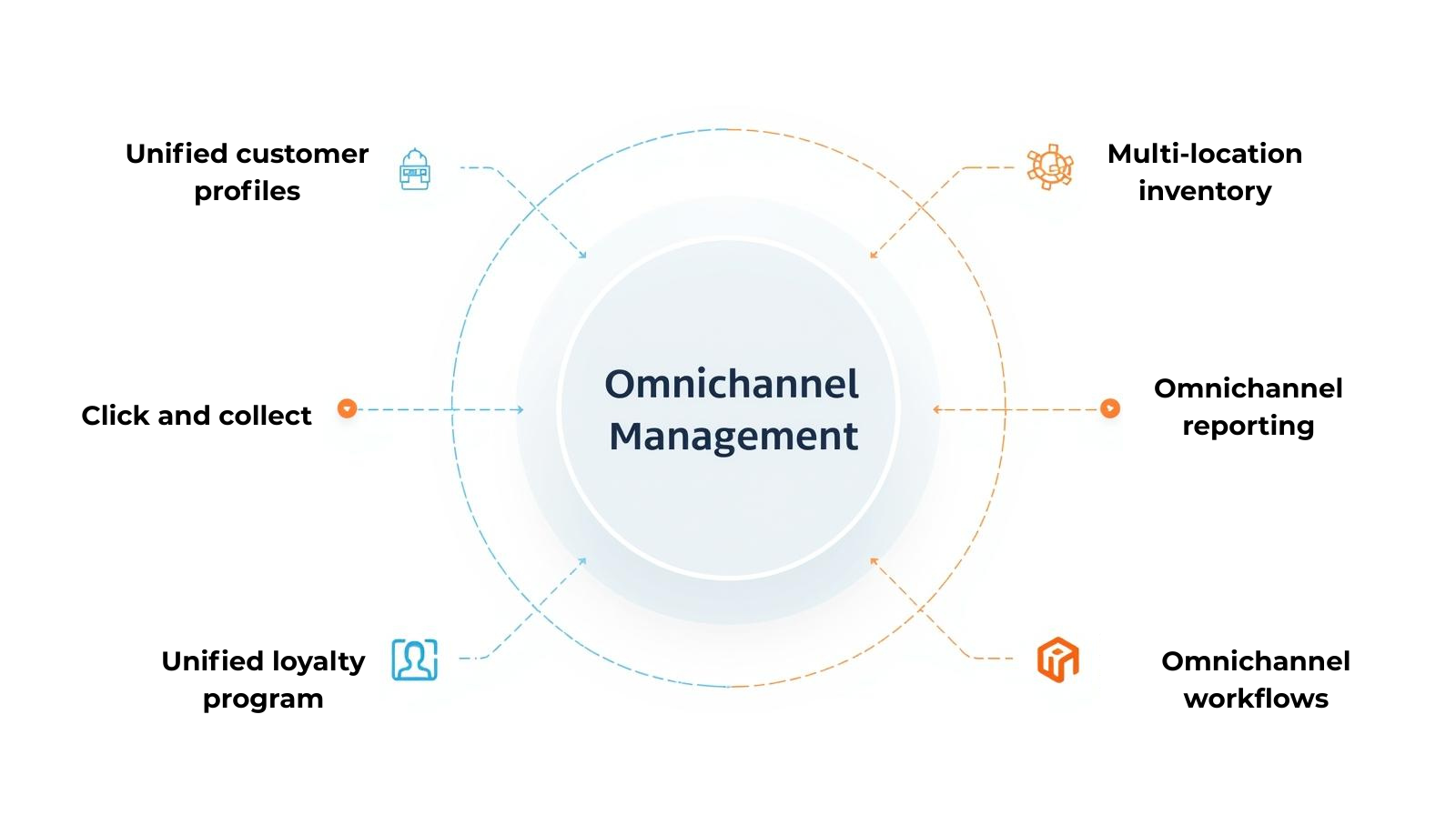
Omnichannel management means running your online and in-store operations as a single, connected system. Magento POS software that supports omnichannel ensures inventory, orders, customers, and loyalty programs are consistent across every touchpoint. Without these capabilities, retailers face stock inaccuracies, missed pickups, and inconsistent customer experiences.
Key omnichannel features include:
- Multi-location inventory: ensures each order is fulfilled from the correct warehouse or store.
- Store fulfillment: allows stores to ship online orders directly from local stock.
- Click and collect: keeps inventory and order status accurate when customers buy online and pick up in-store.
- Unified customer profiles: merges in-store and online interactions for a single view of each customer.
- Loyalty sync: updates rewards and promotions across all channels.
- Fulfillment workflows: coordinate order processing, shipping, and returns efficiently.
- Omnichannel reporting: provides insights into sales, inventory, and customer activity across every channel.
Why does a Magento POS for real-time inventory sync and omnichannel management need reliability and scalability?
Real-time sync and omnichannel management only work correctly when the Magento 2 point of sale can handle the store’s actual operational load, such as more locations, larger catalogs, higher order volumes, and peak periods. If the system lacks sufficient capacity, these features cannot keep up, resulting in inventory mismatches, slow processing, or order errors. A reliable, scalable POS ensures smooth transactions, correct inventory, and consistent customer experiences, even as your business grows.
Key reliability and scalability features include:
- Performance/checkout speed: maintains fast transactions even during busy periods.
- Stability under load: prevents crashes or delays when multiple stores or users operate simultaneously.
- Hardware support: works reliably with various devices and peripherals.
- Customization capability: adapts workflows without compromising stability.
- Scalability for multi-store: keeps operations and sync accurate as stores are added.
- Version compatibility: stays reliable across Magento versions and updates.
Compare 3 POS for Magento solutions with real-time inventory sync and omnichannel support: Magestore vs Magefan vs Webkul
Now that we’ve outlined the essential criteria for a Magento POS with real-time inventory sync and omnichannel support, it’s time to see how each solution measures up. The table below provides a detailed comparison, showing which features each POS for Magento 2 meets, how they perform, and helps you choose the system that best fits your business needs.
| Criteria | Magestore POS | Magefan POS | Webkul POS | Why this matters |
|---|---|---|---|---|
| Magento integration | Magento-native POS – connects directly with Magento backend, no middleware Magento works as a single source of truth. | Magento-native POS (works as an extension, download via composer) | Magento-native POS (works as an extension, download via composer) | Native integration ensures sub-second sync and MSI accuracy. |
| Inventory sync | Real-time data sync between Magento and POS (sub-second, event-driven), no manual update | Real-time data sync between Magento and POS, no manual update | - Real-time under normal load - Polling or refresh may fail at scale (User feedback on Reddit). | Immediate sync reduces overselling and inventory drift. |
| Inventory management | - Inventory visibility - Stock take - Stock audit - Stock reservation - Stock transfer - Stock alert (out-of-stock, overstock) - Inventory forecast - Multi-vendor management - Inventory reports | - Stock update and inventory visibility - No inventory management features | - Inventory visibility - Barcode inventory, UOM, multiple quantity barcode (addon*) - Krayin inventory transfer extension (addon) - Out-of-stock notifications extension (addon) | Ensures accurate stock levels, prevents overselling, and maintains consistency across online and in-store operations |
| MSI support | - Full MSI support - Handle all Magento MSI features: sources, reservations, salable quantity, stock deductions, and backorders | No public information from the POS provider | - Full MSI support - Users shouldn’t use the default source and must create separate sources for POS and webstore (according to Webkul’s official website) | Correct MSI handling required for BOPIS and ship-from-store |
| Offline mode and reconciliation | - Support offline mode, the POS continues to work during outages or an internet loss with: - Processing orders - Updating local inventory - Recording customer profiles - Printing receipts and labels - Automatically sync data to the server once the connection is restored | No | - Support offline mode: - Save transactions, customer data, and orders locally - Automatically sync data to the server once the connection is restored | Prevents order loss and sync conflicts when the internet is down |
| BOPIS (click and collect) and ship from store | Yes, built-in feature | No | Yes (addon) | Validates seamless online-to-offline fulfillment |
| Cross-channel return | - Handle full and partial returns, refunds, and exchanges for online and offline orders directly in the POS frontend - Update inventory and orders across all channels in real time | Accept returns and create refunds in Magento backend Update stock automatically after the return process | - Support returns, file returns, and generate a cash receipt for the products. - Webkul POS can only process returns in offline mode. - Inventory updates are manual, not automatically reflected across all stores or in Magento after the return process. (according to Webkul’s official website) | Ensures seamless customer experience |
| Multi-location and warehouse management and reporting | - Create and manage multiple stores and warehouses in a single place - Generate sales order reports for all locations - View daily performance reports for each store - Track staff performance and productivity - Monitor inventory movement and stock performance - Track revenue, profit, and location-level performance | - Create multiple store locations, track and manage all operations in one admin panel - Monitor the revenue, profit, and performance of each offline store with detailed Z- and X-reports - View product quantity in all warehouses | - Create multiple physical outlets for the online store and associate products with them - View revenue, tax, shipping, and stock quantity for each outlet - Create multiple warehouses and assign sources and multiple agents to them with the Magento 2 warehouse management module (addon) | Needed for centralized inventory and sales analysis |
| Unified customer loyalty | - Centralize customer profiles for order tracking and unified analytics - Allow customers to use and redeem reward points, store credits, and gift cards on their purchases, no matter where they buy from you, and Magento updates instantly | - Manage online and offline customer profiles and order history in a single view - No customer loyalty programs | - Centralize customer data in one place - Have store credit, gift card, and reward points extensions (addon) but only for online checkout | Important for consistent loyalty and marketing programs |
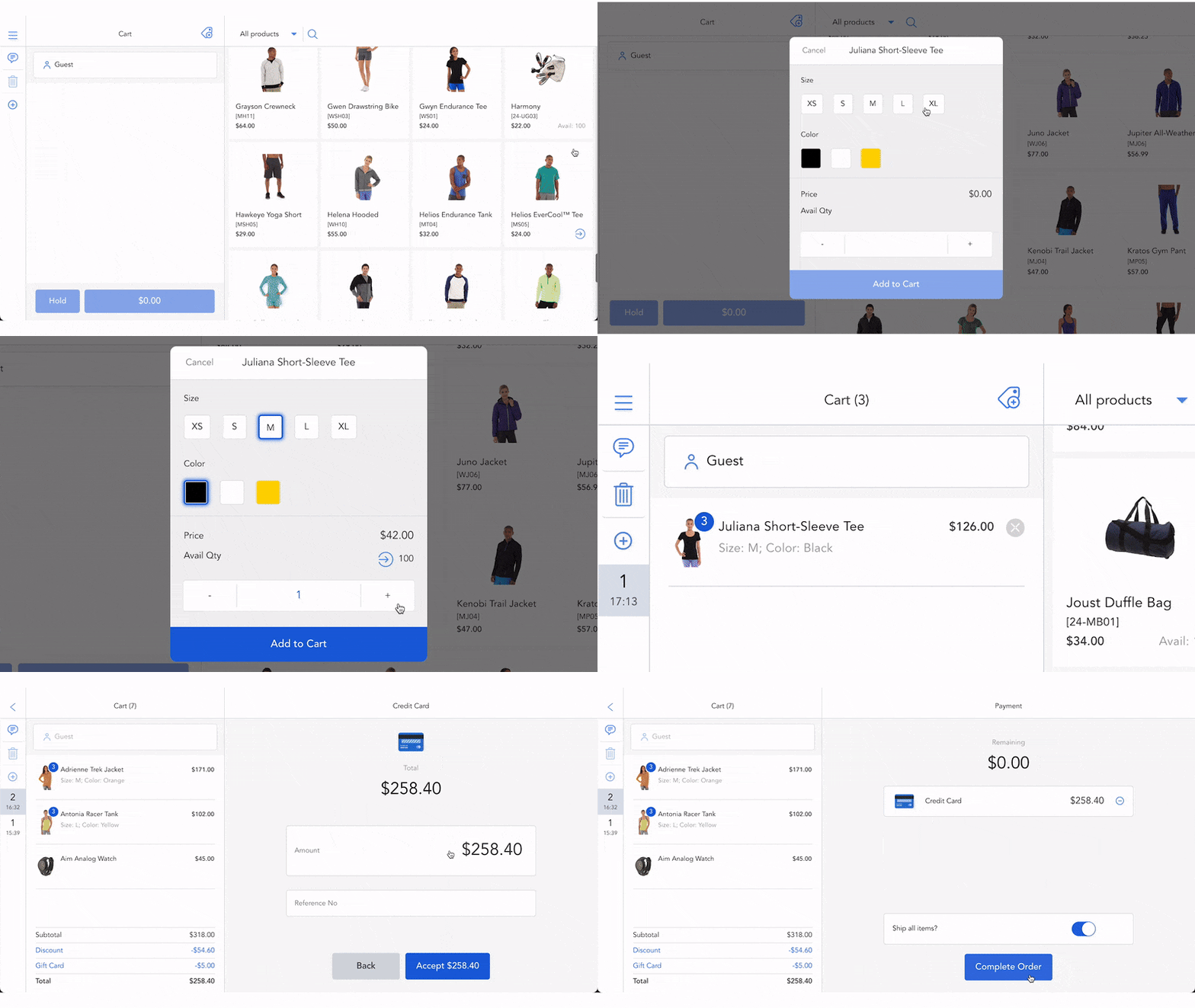
| Checkout performance | - Complete checkout in under 15 seconds with streamlined POS workflows - Search products by SKU, name, or description, or scan the barcode for faster checkout | Enter an SKU or use a categories grid to find products, or scan a barcode to check out faster | Find products by product SKU, characters, and name, or scan the barcode | Impacts POS efficiency and customer experience |
| Scalability (SKUs, stores, peak load) | - Allow unlimited locations, POS devices, and users - Operate stably with 99% uptime, handling 320,000+ orders, 320,000+ SKUs, 200+ stores, and 400+ staff. (Actual POS performance may vary depending on your server configuration.) | - Allow unlimited locations and POS registers - No public information from the POS provider about POS performance | - Allow unlimited locations - Adding new features requires extra fees for separate modules - Cause lag when handling hundreds of SKUs and orders (User review on Reddit) | Essential for growing businesses |
| Customization | - Add new features to fit your business needs - Customize sales, cart discount, promotions, reports, stock logic, user roles, and checkout flow - Add new hardware or extend device support - Integrate with 3rd-party software like payment processors, shipping, ERP, accounting, etc. | - Customize POS receipts - Adjust the button and UI elements' colours in the admin panel | Customize sales receipts (addon) | Determines future-proofing and feature addition |
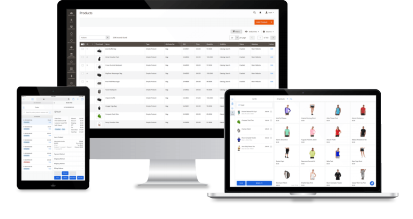
| Device and hardware support | - Devices: iPads, tablets, PCs, Macs, and laptops - Hardware: Cash drawers, credit card readers, payment terminals, barcode scanners, receipt printers, and label printers | - Devices: Desktops, tablets, and smartphones - Hardware: Cash drawer, receipt printer, barcode reader, and credit card reader | - Devices: iPads, tablets, PCs, Macs, and laptops (at least a 7.5-inch screen size minimum) - Hardware: Only connect to printer and barcode scanners Doesn’t connect directly with the cash drawer and card-swapping machine | Ensures POS works reliably on intended devices |
| Magento compatibility | - All Magento editions - Magento versions 2.0–2.4.x | - All Magento editions - Magento 2.4.1-p1 - 2.4.8-p3 | - All Magento editions - Magento versions 2.0–2.4.x | Prevents compatibility issues during upgrades |
| Cost overview | Magento POS Lite: - Subscription of $69/month - Installation fee (optional): $50 - Unlimited locations, registers, and users Magento POS Commerce: - One-off payment, custom quotes - 365-day free support - 90-day money-back refund - Unlimited orders, registers, and users | - One-time payment: $599 - Installation fee (optional): $79 - 365 days of free updates and free support - Refundable within 30 days - After 365-day support, you can renew access to updates and support for 50% of the extension's price. | - PWA POS: from $199 - POS App: from $499. To use this app, you need to purchase and install the PWA POS. - Get POS source code: +$499 => Total cost of ownership for Webkul POS Magento app is from $1,197. - Other fees for POS addons: Magento 2 POS Loyalty Rules, Magento 2 Receipt Addon, Magento 2 POS Barcode Inventory, Magento 2 POS Barcode Label, Magento 2 POS Custom Product, Magento 2 POS Multiple Quantity Barcode, Magento 2 POS Unit Measure, etc. - Installation fee: $150 | Factor for TCO and ROI calculation |
| Pros and cons | *Pros - User-friendly interface - Fast and simple checkout process - Direct integration with Magento, no middleware needed - Real-time and accurate customer, product, order, and inventory sync between Magento and physical stores - Highly customizable and scalable solution - Unlimited locations, POS users, and devices (depending on POS plan) with no extra costs - Available POS demo - Multiple language support (unlimited) - Email, Slack, Google Meet, and ticket support - Only one contact point for faster support, smooth implementation, and ongoing operations - Free custom demo *Cons - As Magestore POS operates directly on Magento’s backend, merchants need a technical understanding to complete the installation. | * Pros - Clean and responsive interface - Direct integration with Magento, no middleware needed - Real-time order and customer data sync between Magento and offline stores - Multiple language support - Available POS demo - Affordable pricing - Telephone and email support * Cons - No offline mode, loyalty program, or store pickup feature - Basic selling functions, including checkout and simple configuration, no inventory management features like stock alert, order fulfillment, inventory movement, stocktake, etc. | *Pros - An affordable entry price for small Magento retailers - Quick setup for fast implementation - Available POS demo *Cons - Outdated interface - Occasional sync issues and bugs - Basic selling functions, including checkout and simple configuration -Omnichannel support requires extra modules, such as loyalty, fulfillment, inventory control, and reporting. | Explains the benefits and drawbacks of POS that can impact your final decision |
| Best for | Magento medium-sized to large enterprises with multiple locations and complicated workflows Merchants seeking real-time data sync across locations and need advanced backend features (inventory management, order fulfillment, supplier management, etc.) | Small Magento retailers only look for a POS with simple checkout features and real-time data sync between online and offline stores. Merchants want to use smartphones for the checkout process. | Small Magento merchants with low complexity and budget Merchants seeking real-time data sync across locations and preferring an easy setup | Helps align POS choice with business type |
Addon*: It’s not included in the POS package; you need to pay for an extra extension.
Read more:
Conclusion
Choosing the right Magento 2 POS with real-time inventory sync and omnichannel management can feel overwhelming, but our guide makes it straightforward. Focus on your business priorities, whether it’s full MSI support, offline reliability, or multi-store scalability, to select the solution that best matches your budget, growth plans, and operational needs. Additionally, you should check customer testimonials from each POS provider and read real-world reviews in Magento communities, Reddit, and Quora to see how these systems perform in practice.
Get started with Magestore POS today and experience seamless real-time inventory sync and full omnichannel management for your Magento stores.