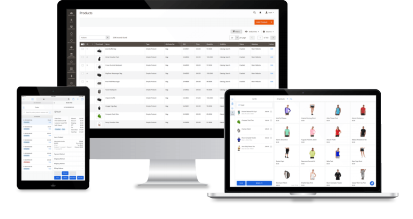
Serve customers and complete checkout anywhere with Magestore mobile POS – no fixed counters, no long queues.
The best Magento mobile POS for fast, flexible checkout on the shop floor or at events
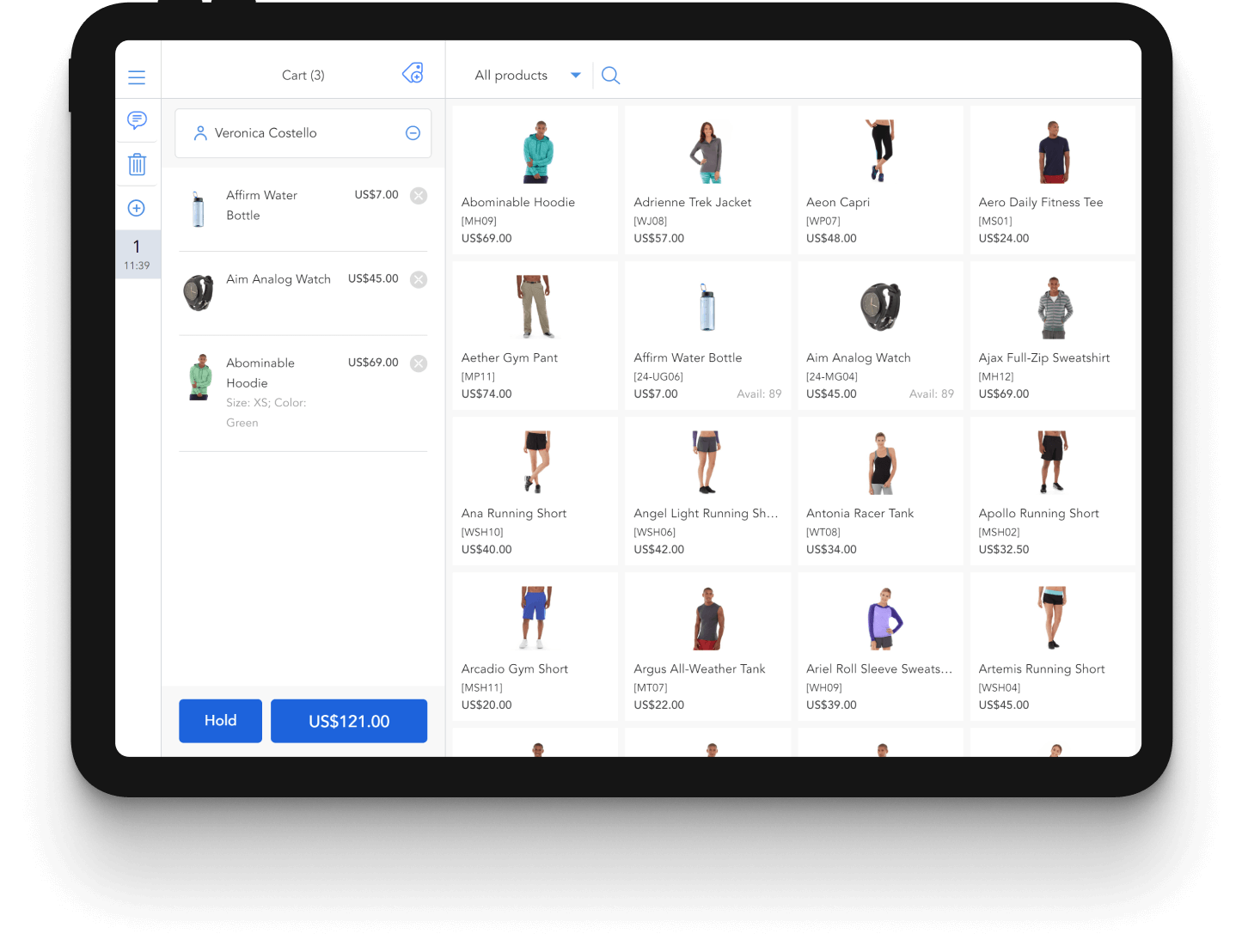


















Quickly complete orders anywhere with Magento mobile point of sale
Run POS on the right devices for stores, events, and tradeshows
Access the same POS on iPads, Android tablets, and other browser-enabled devices — without being locked into one operating system or hardware setup.
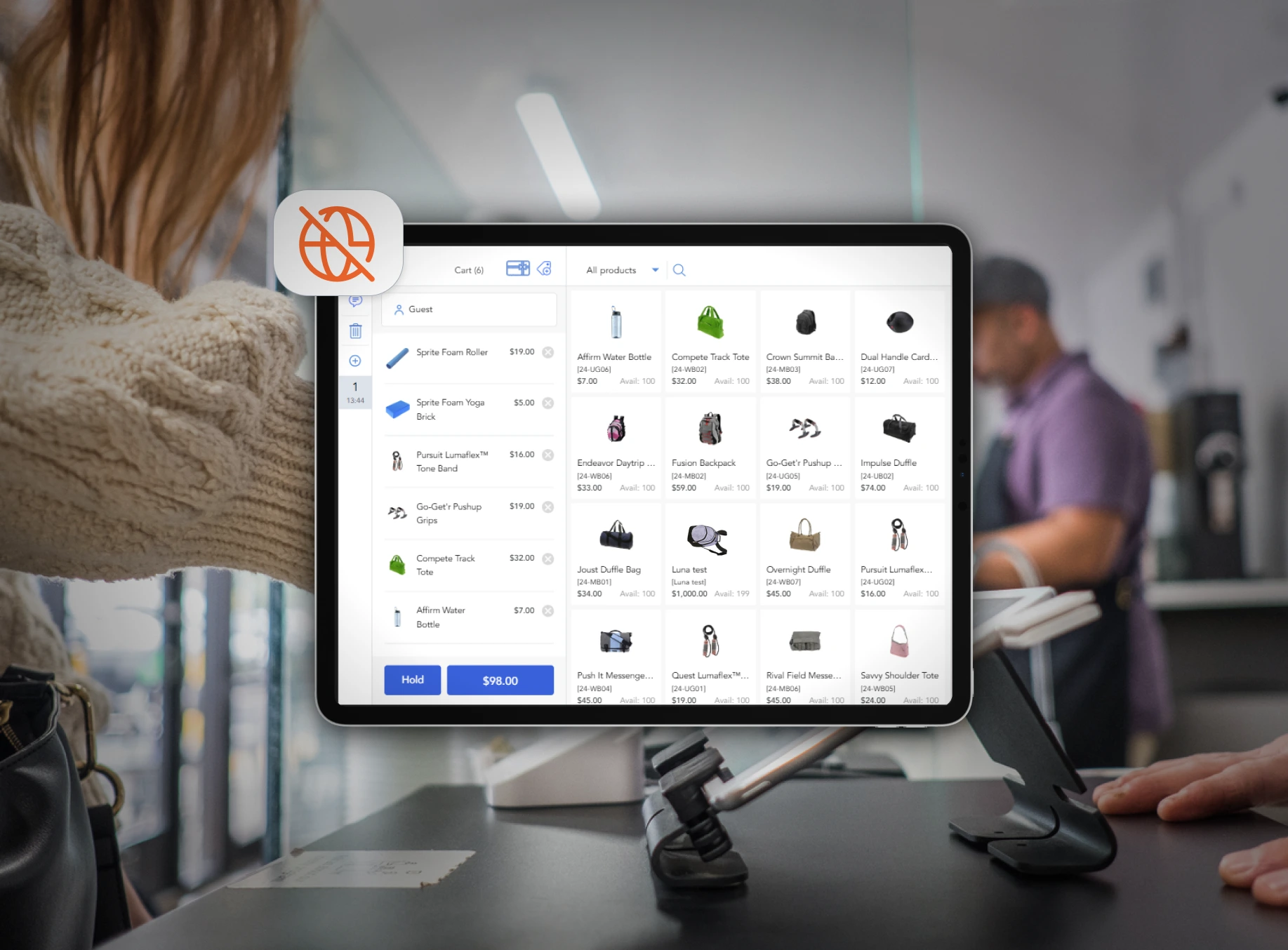
Keep sales running even without internet
Continue processing orders during internet outages with offline mode. All data is securely stored in local storage, and once the connection is restored, sales data is automatically synchronized with Magento to keep records accurate and up to date.
Automatically process, record, and centralize payments in Magento
Magestore mobile POS has out-of-the-box integration with leading payment processors like Stripe, Square, and Clover — no extra customization needed. Transactions are automatically processed and recorded in Magento, reducing manual work and errors.
Our iPad and tablet POS for Magento 2 supports multiple payment methods provided by your chosen payment processor: Cash, credit and debit cards, digital wallets, partial payments, and more.

Easily scan and add products at checkout
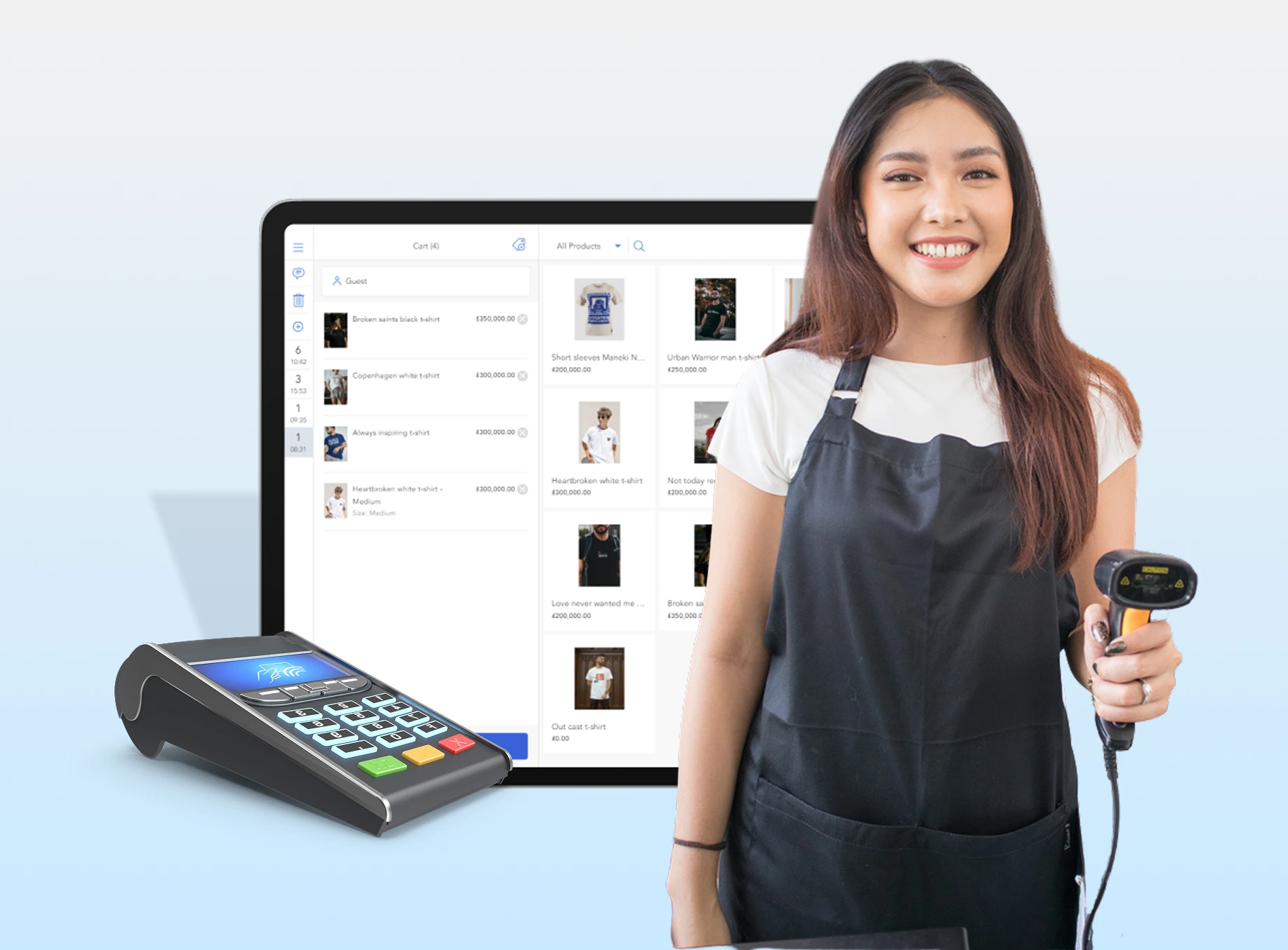
Our mobile POS for Magento 2 integrates with popular barcode scanners so staff can quickly scan products, skip manual search, and move customers through checkout faster.
Serve more customers at once with multiple POS registers
Use multiple POS devices simultaneously or allow staff to share devices to assist customers and complete orders faster. All registers stay connected to the same Magento system, keeping orders, payments, and inventory synced while reducing checkout queues during busy hours.

Create products exclusively for in-store sales
Offer store-only products without listing them on your online store. Create custom products for one-off items or control visibility in Magento to make products available in-store, online, or both.
Drive repeat purchases with an omnichannel loyalty program
Let customers earn and redeem loyalty points or gift cards seamlessly across all channels, with unified rules for both online and in-store purchases.


Go live quickly for stores, events, or seasonal sales
Launch your Magento mobile POS on time with 1:1 consultation from our POS experts and implementation support from our technical team, ensuring the system is ready in time for store launches, events, pop-ups, or seasonal sales.



An intuitive, reliable Magento-native mobile POS for unified retail operations
Manage all data in one place with direct Magento integration
Magestore mobile POS is native to Magento, meaning it directly syncs all data to the Magento backend.
- Unified inventory visibility across stores in real time
- Shared product catalog across online and physical stores
- Centralized customer profiles, purchase history, and loyalty data
- Single order record system in Magento

Easy to use with an intuitive mobile POS interface
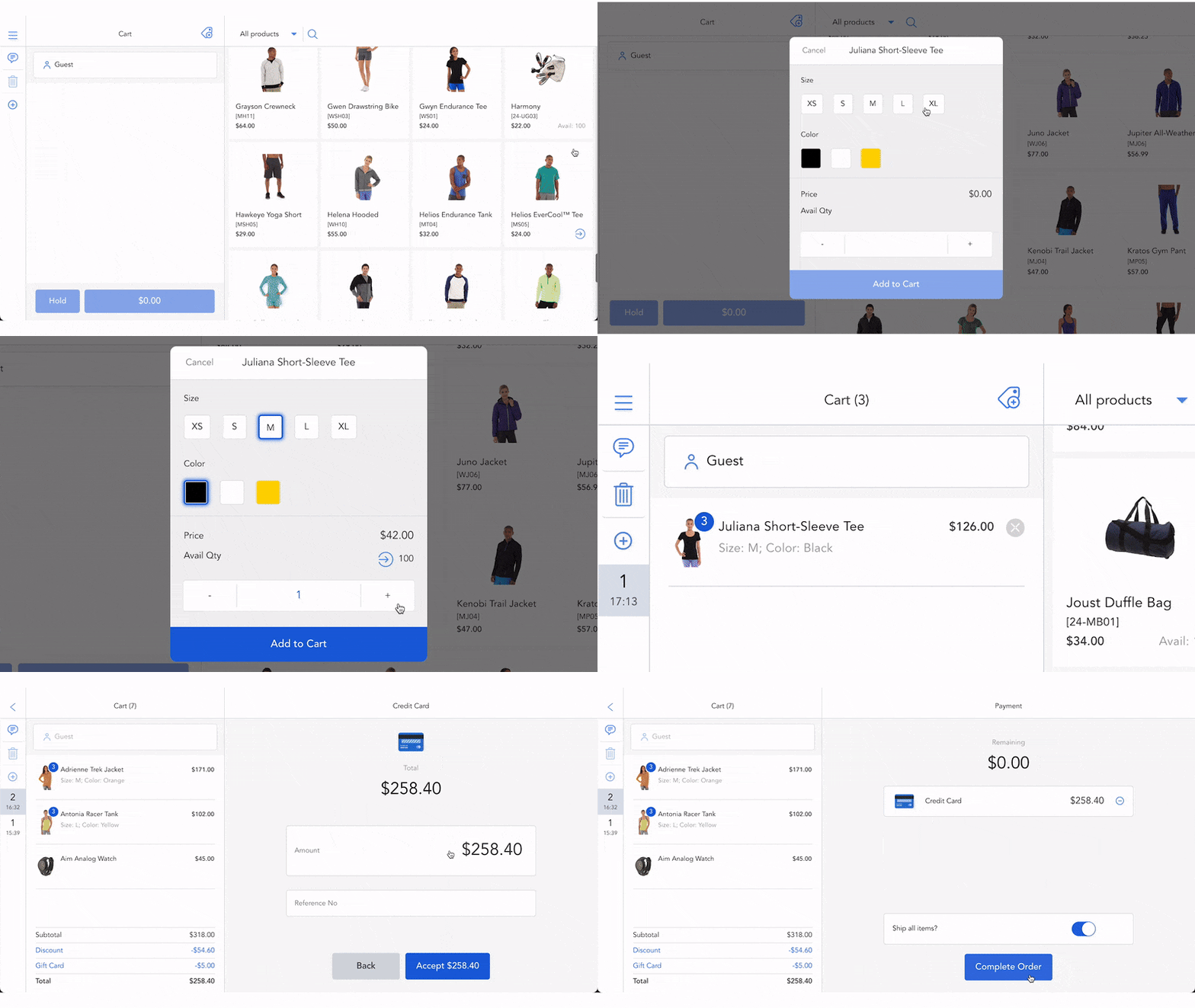
Our iPad POS for Magento 2 and Android POS for Magento 2 feature an interface that adapts to different tablet and iPad screen sizes. The clean layout and simplified workflows help staff navigate, search for products, and complete checkout with ease.
Maintain fast, stable performance at any scale
The POS scales with your business, supporting large product catalogs and high transaction volumes with reliable performance. This stability comes from its architecture and how it operates:
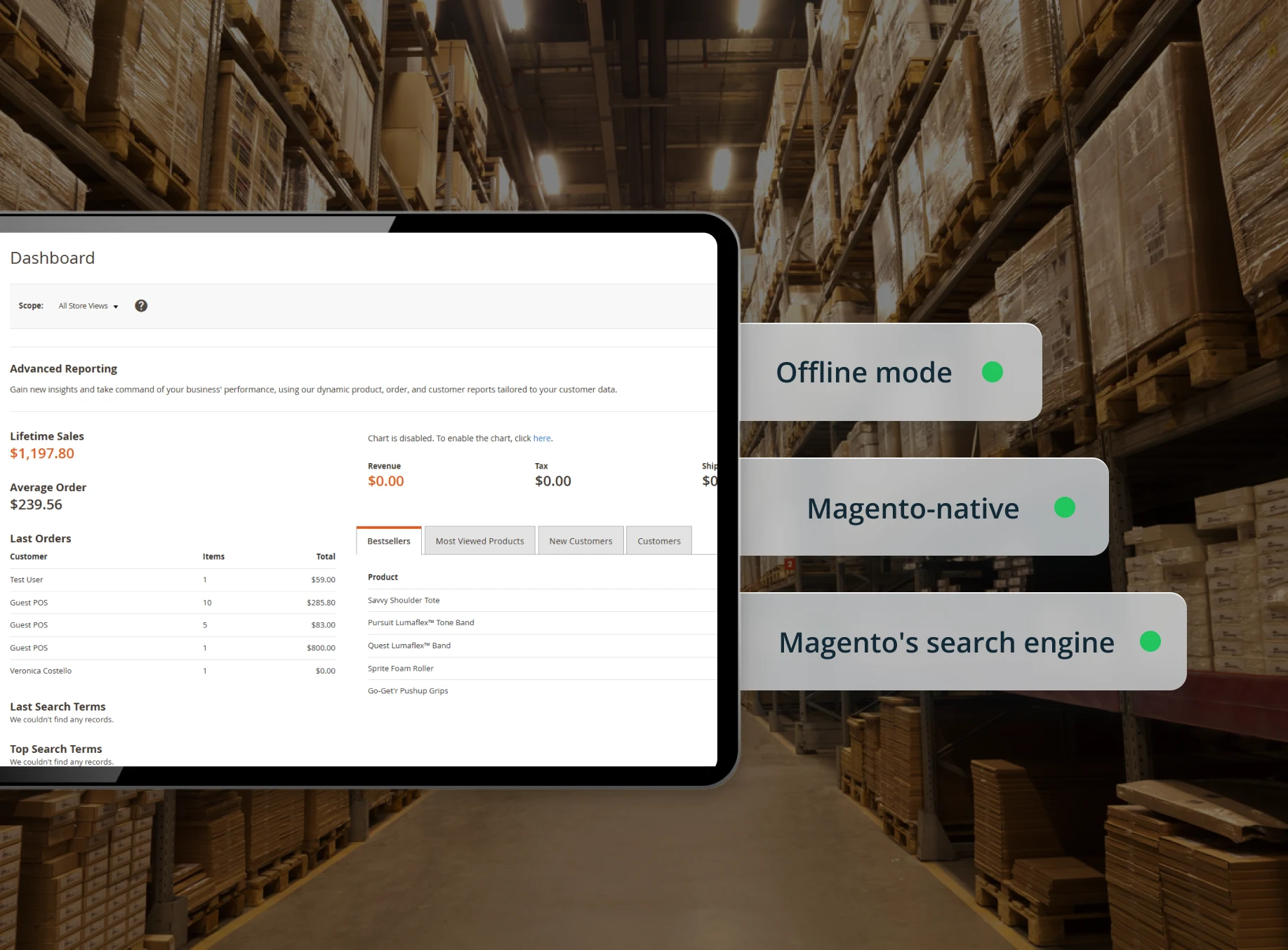
- Offline mode enables faster checkout by processing data locally, with no server delays
- Native Magento architecture with no middleware — fewer layers and lower latency
- Compatibility with Magento’s search engines ensures quick product lookup

Deliver orders on time with flexible fulfillment options
Give customers the flexibility to choose how they receive their orders: reserve products online and complete payment in-store, purchase in-store and ship items directly to home, or buy at one store and have the order shipped from another location. All of these options are available in Magento mobile POS.
Turn data into decisions with detailed reports
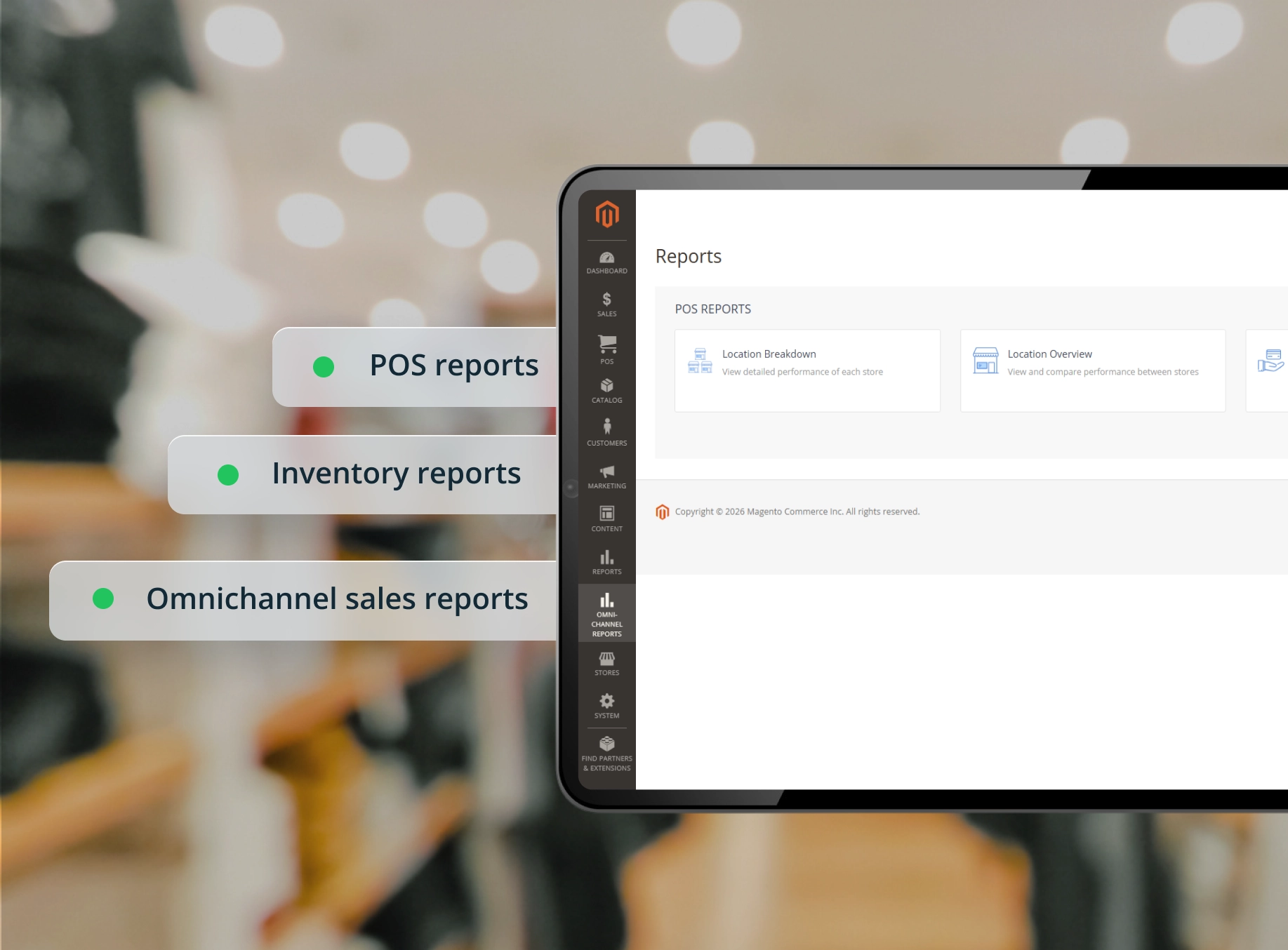
Our Magento 2 mobile POS offers different types of reports, from standard POS performance reports to advanced sales and inventory reports, giving you real-time insights into store operations and customer purchasing trends.
Use your preferred POS hardware without compatibility limitations
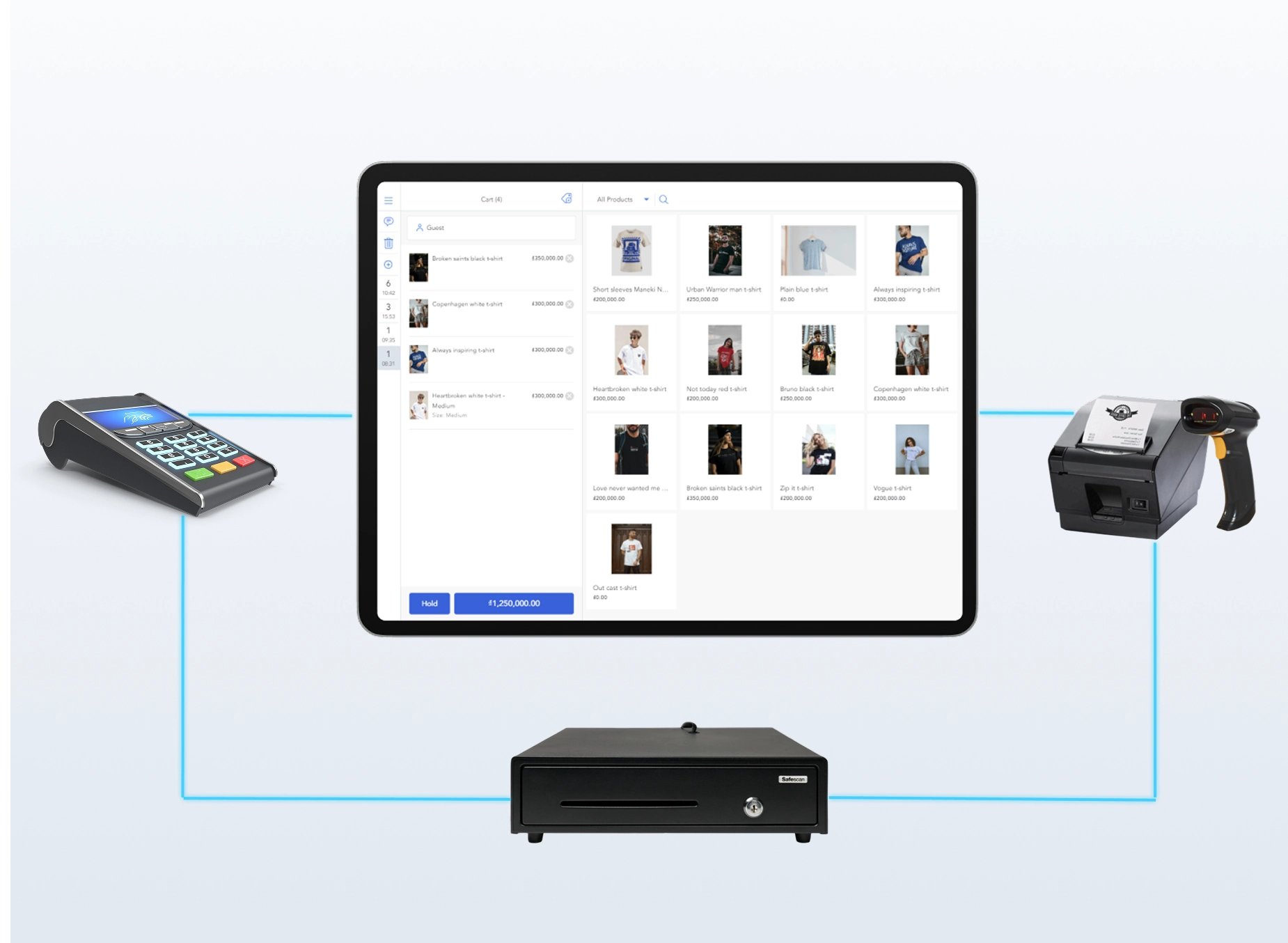
Magestore mobile POS works with a wide range of hardware, including various brands of barcode scanners, receipt printers, cash drawers, label printers, and more, giving you the flexibility to choose what fits your business.
Our Magento POS for mobile devices supports a wide range of hardware (barcode scanners, receipt printers, cash drawers, label printers, etc.), giving you the flexibility to choose the devices that best fit your business.
A trusted Magento mobile POS solution for your consideration

Transparent pricing, no hidden costs
Book a 1:1 consultation with our POS experts to receive a complete cost breakdown. Choose from flexible POS packages, including subscription-based plans or one-time licensing.

Demo and live testing before launch
Experience a personalized demo to explore how the POS works before making your decision. You can also test the solution on the staging site to ensure smooth operations and confirm everything is ready before going live.

Dedicated support from technical team
Our POS experts and technical team work one-on-one with you throughout the project, offering dedicated support through a Helpdesk Portal, Google Meet, Slack, email, or WhatsApp to quickly address any issues or requirements.
Magestore offers flexible and cost-effective pricing for your business
POS Lite
A basic POS package for stable and fast in-store checkout.
7-day free trial
$69/ month
Unlimited users, devices, and locations
Try for Free
- Native to Magento Open Source
- Real-time data synchronization between Magento and POS
- Magento MSI compatibility
- Multiple payment methods: Cash, credit/debit cards, partial payments
- POS order management
- Order refunds
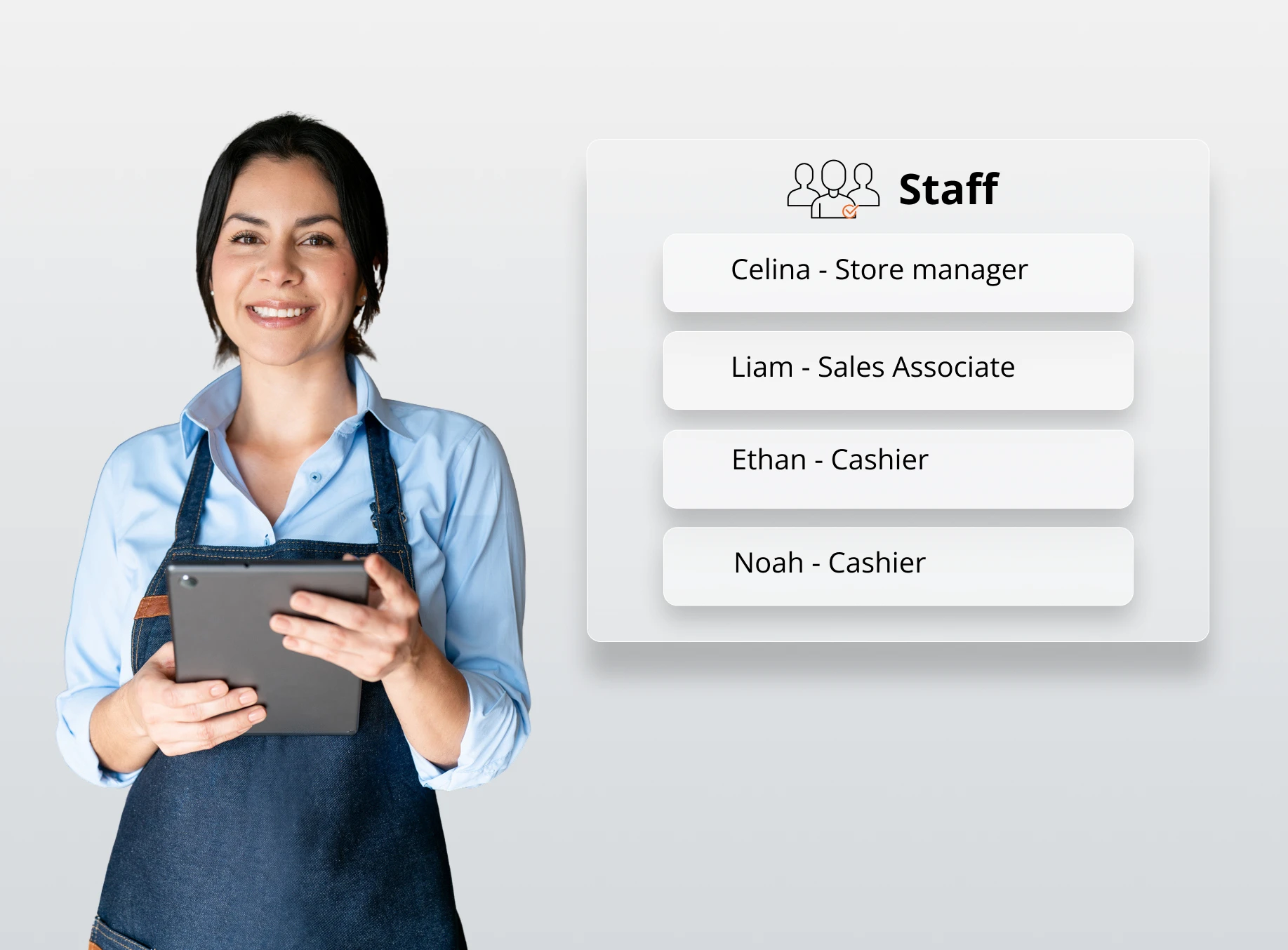
- Staff management
- Offline mode
- Multiple cart management (Create and hold carts for later checkout)
- Custom products on POS
- Direct cart/item discount entry on POS (No Magento Admin setup required)
- Multi-location management
POS Simple
A lightweight POS package designed to cover daily checkout and operations – without the complexity or cost of a full POS system.
1-year warranty and 90-day money back
One time payment
Unlimited users, devices, and locations
Get a Quote
All in POS Lite plan, plus:
- Native to both Magento Open Source and Adobe Commerce
- Online payments (Stripe, Square, Adyen, etc.)
- Cash denomination
- Magento 2 cart/catalog price rule setup (Auto display on POS)
- Omnichannel loyalty programs: Gift cards, reward/loyalty points, and store credits
- Role-based access control
- Barcode management
- POS reports by location, payment method, staff, and session
- Popular 3rd-party integrations
POS Commerce
A complete POS package with advanced modules for efficient omnichannel management.
1-year warranty and 90-day money back
One time payment
Unlimited users, devices, and locations
Book a Free Consultation
All in POS Simple plan, plus:
- Advanced order fulfillment: Dropshipping, backorder, click-and-collect
- Multi-location inventory management
- Purchase order management
- Supplier management
- Extensive inventory and omnichannel sales reports
- Further customization based on unique business needs: New feature requests, custom integrations, etc.
Magestore POS packages comparison
Functions | POS Lite | POS Simple | POS Commerce |
Pricing model | Monthly subscription | One time payment for license | One time payment for license |
COMPATIBILITY | |||
Magento edition | Magento Open Source (2.3.x - 2.4.x) | Magento Open Source & Adobe Commerce (2.3.x - 2.4.x) | Magento Open Source & Adobe Commerce (2.3.x - 2.4.x) |
Devices | Tablet, iPad, laptop, PC, Mac | Tablet, iPad, laptop, PC, Mac | Tablet, iPad, laptop, PC, Mac |
MAGENTO MSI SUPPORT | |||
Work with Magento MSI enabled (Reservation enabled) | ✓ | ✓ | ✓ |
Work with Magento MSI disabled (Reservation enabled) | ✓ | ✓ | |
ADMIN CONFIGURATION | |||
Staff management | ✓ | ✓ | ✓ |
Role-based access control | ✓ | ✓ | |
Location management | ✓ | ✓ | ✓ |
Session management | ✓ | ✓ | |
Cash denomination | ✓ | ✓ | |
POS management | ✓ | ✓ | ✓ |
Multi-location support | ✓ | ✓ | ✓ |
CHECKOUT AND ORDER MANAGEMENT | |||
POS order management | ✓ | ✓ | ✓ |
Multiple cart management (Create and hold carts for later checkout) | ✓ | ✓ | ✓ |
Receipt printing & reprinting | ✓ | ✓ | ✓ |
Order refunds | ✓ | ✓ | ✓ |
Custom products on POS | ✓ | ✓ | ✓ |
Basic delivery methods (Flat rate, free shipping, table rates, in-store delivery) | ✓ | ✓ | ✓ |
Direct cart discount entry on POS (No Magento Admin setup required) | ✓ | ✓ | ✓ |
Direct item discount entry on POS (No Magento Admin setup required) | ✓ | ✓ | ✓ |
Role-based maximum discount limits | ✓ | ✓ | |
Cart price rule setup in Magento (auto-displayed on POS) | ✓ | ✓ | |
Catalog price rule setup in Magento (auto-displayed on POS) | ✓ | ✓ | |
Barcode label printing with layout customization (size, position) | ✓ | ✓ | |
Barcode management | ✓ | ✓ | |
Customer-facing display mode | ✓ | ✓ | |
Self-checkout mode | ✓ | ||
PAYMENT METHOD | |||
Cash payments | ✓ | ✓ | ✓ |
Credit and debit card payments | ✓ | ✓ | ✓ |
Partial payment | ✓ | ✓ | ✓ |
Online payments (Stripe, Square, Adyen, etc.) | ✓ | ✓ | |
LOYALTY PROGRAM | |||
Reward/loyalty points | ✓ | ✓ | |
Gift cards | ✓ | ✓ | |
Store credits | ✓ | ✓ | |
INVENTORY MANAGEMENT | |||
Inventory management | ✓ | ||
Inventory adjustment | ✓ | ||
Inventory transfer | ✓ | ||
Inventory movement | ✓ | ||
Purchase order management | ✓ | ||
Supplier management | ✓ | ||
OMNICHANNEL ORDER FULFILLMENT | |||
Backorder | ✓ | ||
Dropshipping | ✓ | ||
Click and Collect | ✓ | ||
REPORT & INSIGHTS | |||
POS reports | |||
Location reports | ✓ | ✓ | |
Sales by payment method reports | ✓ | ✓ | |
Staff reports | ✓ | ✓ | |
Session reports | ✓ | ✓ | |
POS performance reports | ✓ | ✓ | |
Inventory reports | |||
Stock value | ✓ | ||
Stock details | ✓ | ||
Stock by source | ✓ | ||
Incoming stock | ✓ | ||
Historical stock | ✓ | ||
Omnichannel sales reports | |||
Sales by time-frame | ✓ | ||
Sales by customer | ✓ | ||
New vs returning customer | ✓ | ||
Sales by country | ✓ | ||
Sales by product catalog | ✓ | ||
Sales by product feature | ✓ | ||
Sales by product performance | ✓ | ||
Sales by payment type | ✓ | ||
INTEGRATION | |||
Popular 3rd-party payment processors (Stripe, Square) | ✓ | ✓ | |
Popular 3rd-party integrations (ERP systems, marketplaces, accounting software, shipping platforms, and more) | ✓ | ✓ | |
OTHERS | |||
Offline mode | ✓ | ✓ | ✓ |
Responsive POS interface (Auto layout adjustment on desktop/tablet screen resize) | ✓ | ✓ | ✓ |
Customization based on specific requirements: Create a new feature, build a custom integration, etc. | ✓ | ✓ | |
SUPPORT | |||
Channel | Helpdesk Portal | Google Meeting, Slack, Email, WhatsApp | Google Meeting, Slack, Email, WhatsApp |
Support time | 1-year free support after purchase + Free implementation | 1-year free support after purchase + Free implementation | |
Installation | Installation fee: $50 *Applicable if you require installation support from the Magestore team. | Free one-time setup on one staging site and one live site | Free one-time setup on one staging site and one live site |
Source code access | ✓ | ✓ | |
REFUND | |||
Time to refund | Within 90 days from the purchase date | Within 90 days from the purchase date | |
Trusted by +15,000 merchants worldwide
Frequently asked questions
1. Is Magestore Magento 2 mobile POS a native app or a web app?
Magestore mobile POS for Magento 2 is a web-based app built using PWA technology. You can access it on any device that runs a web browser.
2. Do I need to download Magento POS from the App Store or Google Play?
For Magestore Magento 2 POS system, you don’t need to download it from the App Store or Google Play.
With the subscription-based POS Lite package, you can access and install the POS yourself using the link provided after completing the payment. For one-time payment packages such as POS Simple or POS Commerce, our technical team will handle the implementation and setup for you.
3. Can Magestore Magento 2 POS be installed on an iPad or Android tablet?
Yes, Magestore offers both Magento POS for iPad and Magento POS for Android. Our mobile POS is compatible with a wide range of iPadOS and Android versions.
4. What is the difference between a native POS app and a PWA POS?
A native Magento POS mobile app is developed specifically for a particular operating system, such as iOS or Android, and is usually downloaded from app stores like the Apple App Store or Google Play.
Meanwhile, a Magento PWA POS (a type of Magento POS web app) is a web-based application that behaves like a mobile app but runs in a web browser.
5. Which devices are supported by Magento 2 mobile POS?
Magestore Magento 2 mobile POS runs on devices that support a web browser, including both iPads and Android tablets.
6. Can Magento mobile POS run on smartphones?
Yes, Magestore Magento mobile point of sale can run on smartphones. However, the interface and performance are currently optimized for iPads and tablets rather than smartphones.
7. Does Magento mobile POS work across different operating systems?
Yes, Magestore Magento POS for iOS and Android tablets supports different operating systems, including iPadOS (10.0 or later) and Android (5.0 or later).
8. Can Magestore mobile POS for Magento 2 work without internet?
Yes. Magestore mobile POS for Magento 2 supports offline mode. This offline mobile POS for Magento allows staff to continue checkout even during internet outages. All data is saved locally when the connection is lost and automatically synced with Magento once the internet is restored.
9. How does Magento mobile POS sync with Magento?
Magestore mobile POS for Magento 2 is built natively for Magento, so all data is synced directly to the Magento backend without the need for connectors or middleware. Product data, inventory, customers, and orders are automatically synced between the POS and Magento.
10. Is data automatically updated between mobile POS and Magento backend?
Yes. In online mode, data is automatically updated between Magestore mobile POS and the Magento backend. In offline mode, data is stored locally during outages and automatically synchronized with Magento once the internet connection is restored.
11. Is Magento mobile POS suitable for pop-up stores or events?
Yes. Magestore Magento mobile POS is suitable for trade shows, pop-up stores, and events thanks to its compatibility with mobile devices, reliable offline mode, and a full set of core checkout features that enable quick sales in temporary selling environments.
12. Can sales staff use Magestore Magento POS for iPad and Android for queue busting?
Yes, sales staff can use Magento POS for Android tablet and iPad to serve customers faster and eliminate long checkout lines. With mobile POS devices, staff can assist customers and complete checkout anywhere on the shop floor, helping reduce long lines at the main checkout counter.
13. Is Magento mobile POS practical for field sales teams?
Yes. Magento mobile POS can be practical for field sales teams who need to support customers and process orders outside a traditional store environment. With this field sales POS for Magento, sales representatives can access the product catalog, create orders, and complete checkout directly with customers.
14. What is the difference between Magento POS and Magento mobile POS?
Magento mobile POS is specifically designed to run on mobile devices such as iPads, tablets, or smartphones. Meanwhile, Magento POS is a broader term that refers to a POS system that can run on both desktop computers and mobile devices, depending on the setup and store operations.
Mobile selling in-store and at the events with Magestore portable POS for Magento 2
Share your requirements, and our experts will recommend the best-fit solution along with a full cost breakdown.